Starting a website sounds complicated until you actually get into it. You need a domain, hosting, security, a way to build the site, and somewhere to manage everything.
That is where Hostinger comes in.
Hostinger is a web hosting company that provides the tools needed to build, launch, and manage websites. It supports WordPress, website building, ecommerce, domains, business email, and AI-powered website creation.
But is Hostinger actually worth using in 2026?
This guide takes a closer look at what Hostinger offers, how it works, its main features, pricing, pros and cons, and who it is best suited for.
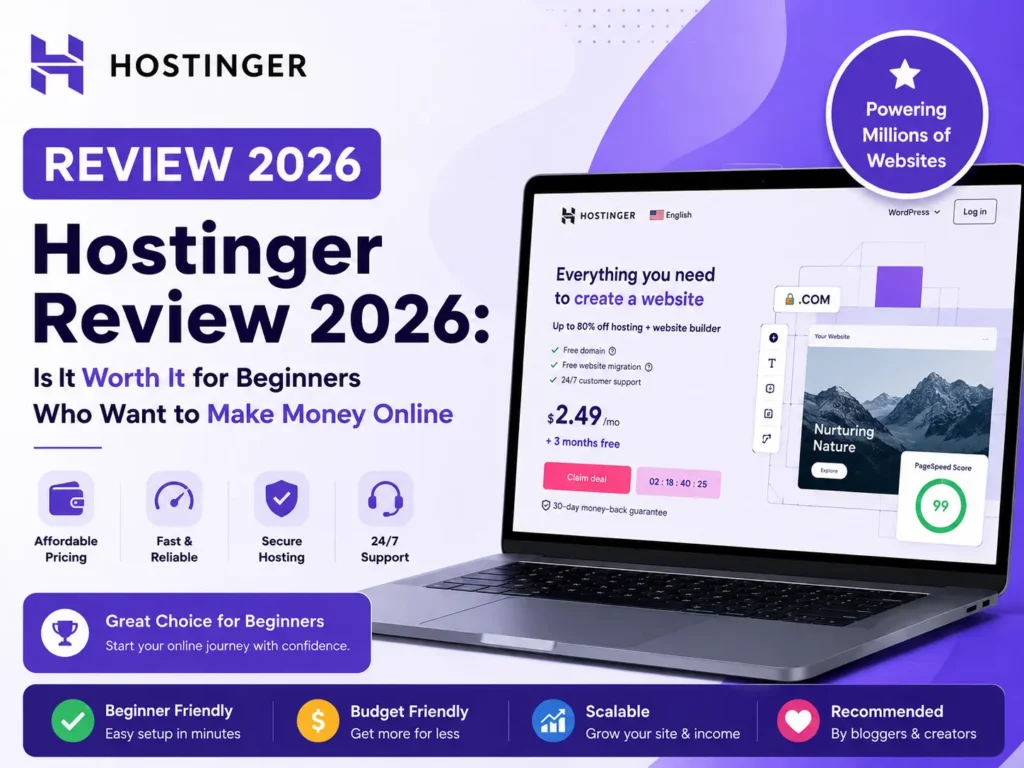
What Is Hostinger?
Hostinger is a web hosting provider that helps individuals and businesses get websites online.
Instead of buying hosting from one company, a domain from another, and separate tools for things like website building and email, Hostinger brings many of these services together.
You can use Hostinger to build different types of websites, including:
- Business websites
- Blogs
- Personal websites
- Portfolios
- Online stores
- Landing pages
- Affiliate websites
- Membership websites
- Web applications
You can build a website with WordPress, use Hostinger's website builder, or work with code if you need more control.
Hostinger also provides AI tools that can help with website creation, content, images, and site management.
How Does Hostinger Work?
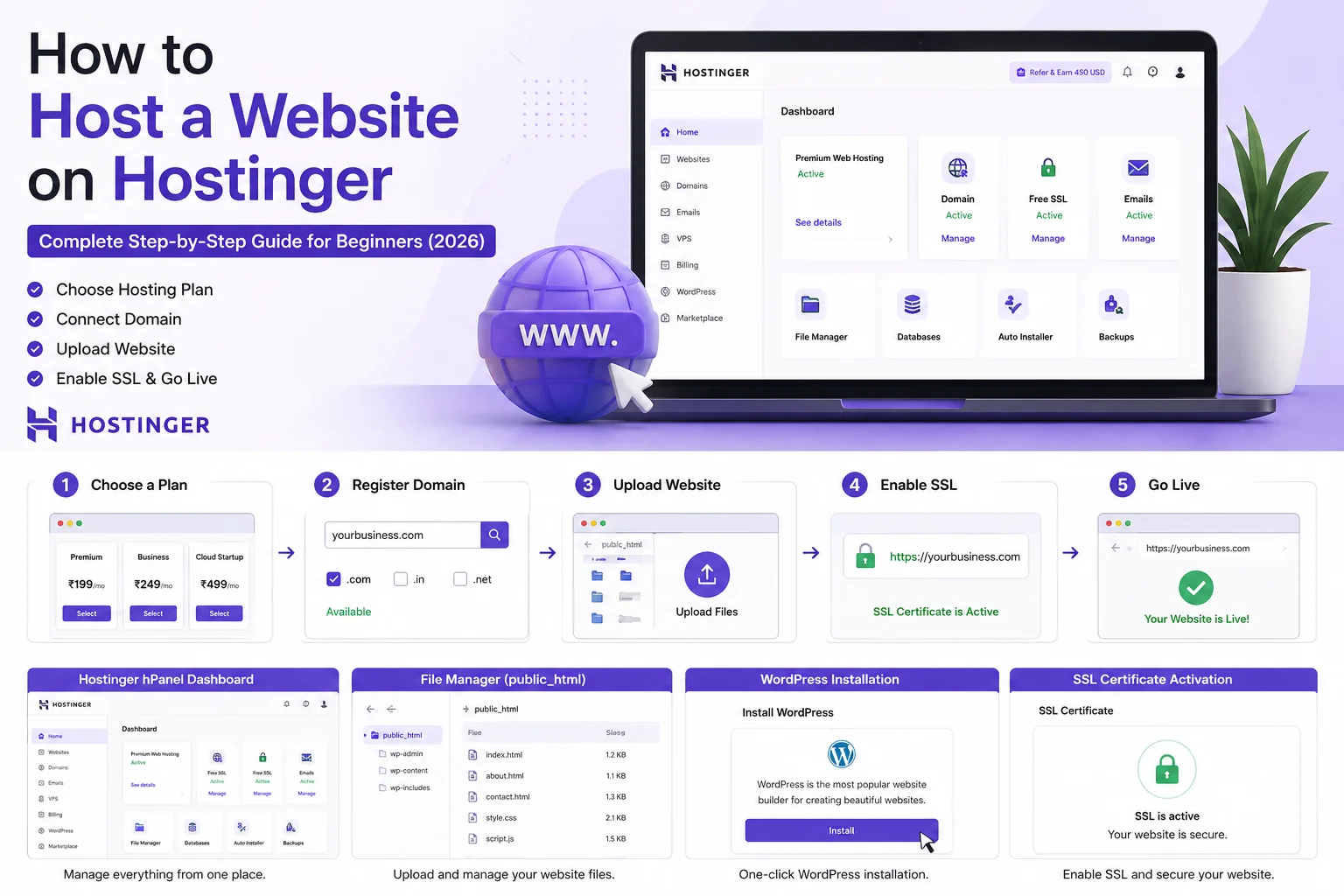
The basic idea is simple: you choose a hosting plan, connect a domain, build your website, and then publish it online.
Here's what the process looks like.
1. Choose a Hosting Plan
First, choose the type of hosting you need.
Hostinger offers different options depending on the size and purpose of your website.
A beginner building one simple website doesn't need the same resources as a business running several websites or an ecommerce store.
2. Register or Connect Your Domain
Your domain is the address people use to find your website.
For example, if your business is called Bright Media, your domain could be something like
brightmedia.com.
Depending on the plan and offer, Hostinger can include a free domain for the first year.
You can also connect a domain you already own.
3. Build Your Website
Once your hosting is ready, you can start building your site.
If you're using WordPress, you can install and configure WordPress.
If you don't want to deal with WordPress, Hostinger's website builder lets you create a website using templates, drag-and-drop editing, and AI tools.
4. Customize Your Website
This is where you make the website your own.
You can change the text, images, colors, fonts, pages, menus, and other elements.
If you're using Hostinger's AI tools, you can also describe the type of website you want and use the generated design as a starting point.
5. Publish Your Website
Once you're happy with the site, you can connect your domain and publish it.
From there, visitors can access your website online.
Key Hostinger Features
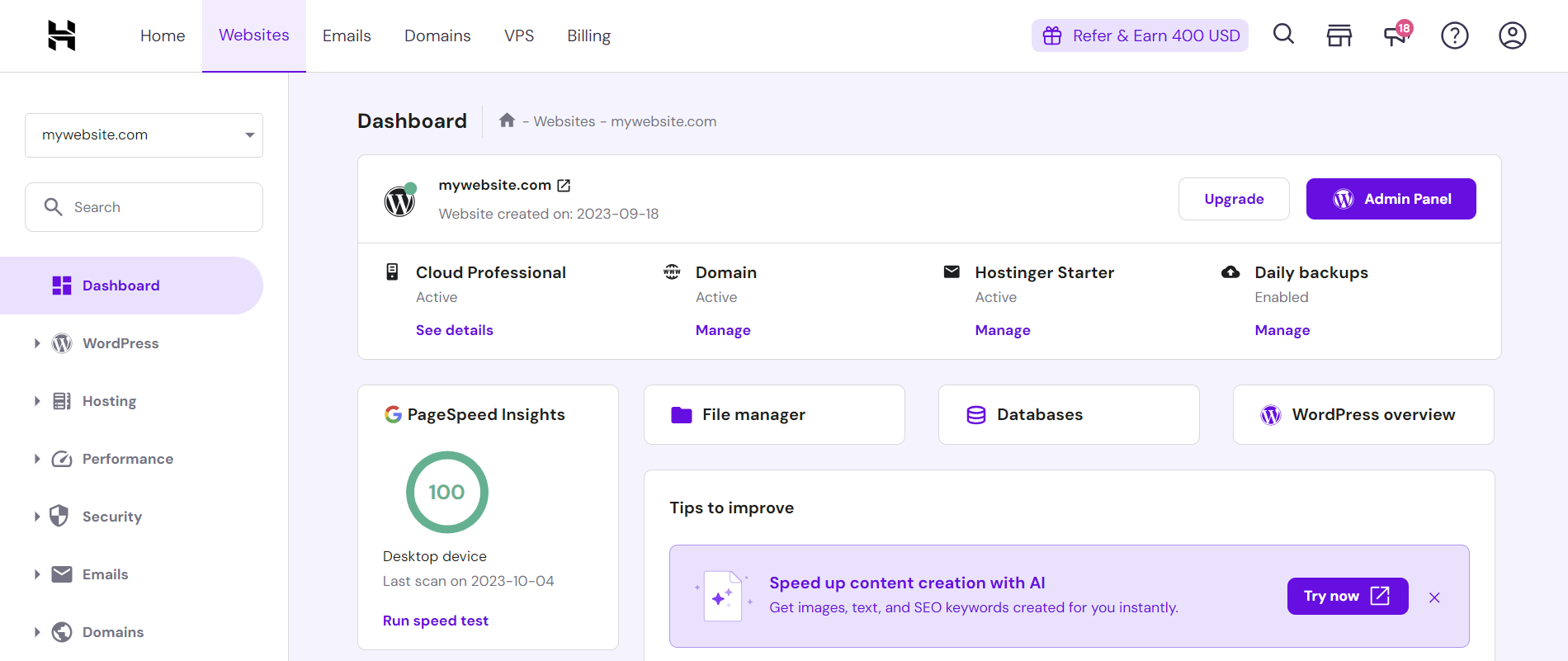
Hostinger has grown beyond basic web hosting. Here are some of the features that stand out.
1. Web Hosting
Hostinger provides hosting infrastructure for websites of different sizes.
Its hosting plans include features such as storage, domain options, SSL, backups, CDN capabilities, and website-building tools, depending on the plan.
For someone launching their first website, having these tools in one account can make the setup process much easier.
2. WordPress Hosting
If you prefer WordPress, Hostinger offers managed WordPress hosting.
The company provides WordPress-focused tools designed to make installation, maintenance, performance, backups, and security easier.
This can be useful if you want WordPress flexibility without handling every technical task yourself.
3. AI Website Builder
One of Hostinger's more interesting features is its AI Website Builder.
Instead of starting with a completely blank page, you can describe the website you want and let the AI generate an initial version.
You can then edit the result using the website builder.
This can be particularly useful for beginners who know what they want their website to do but don't know where to start.
4. Drag-and-Drop Website Editor
You don't necessarily need coding skills to build a website with Hostinger's website builder.
The drag-and-drop editor lets you add sections, move elements, change colors, replace images, edit text, and adjust the layout.
This makes it easier to make changes without touching code.
5. Free SSL
SSL helps protect information transferred between a website and its visitors.
Hostinger includes SSL certificates with its hosting plans, helping websites use HTTPS and provide visitors with a more secure browsing experience.
6. Website Backups
Backups are important because websites can sometimes break after an update, plugin change, configuration mistake, or other problem.
Hostinger includes backups on its plans, although the frequency and restoration options depend on the specific plan.
7. Domain Registration
You can register domains through Hostinger instead of using a separate domain registrar.
This keeps your domain and hosting management in one account.
Some hosting plans also include a domain free for the first year, subject to the plan's terms.
8. Ecommerce
Hostinger also supports online stores.
You can create product pages, manage products and orders, accept payments, and handle other ecommerce tasks through its website-building and ecommerce tools.
This makes Hostinger an option for small businesses that want to sell products or services online.
9. Business Email
A professional email address such as
hello@yourbusiness.com can make a business website look more established.
Hostinger provides business email options with selected plans, although the number of mailboxes and how long they are included can depend on the plan.
10. AI Tools
AI is becoming a bigger part of Hostinger's platform.
Its AI tools can help with website creation, writing, images, SEO, and other website-related tasks.
Hostinger has also introduced Hostinger Agent, an AI assistant designed to help users manage and work on their websites through natural-language instructions.
This can be useful for people who don't want to spend their time dealing with technical website tasks.
Hostinger Pricing: How Much Does Hostinger Cost?
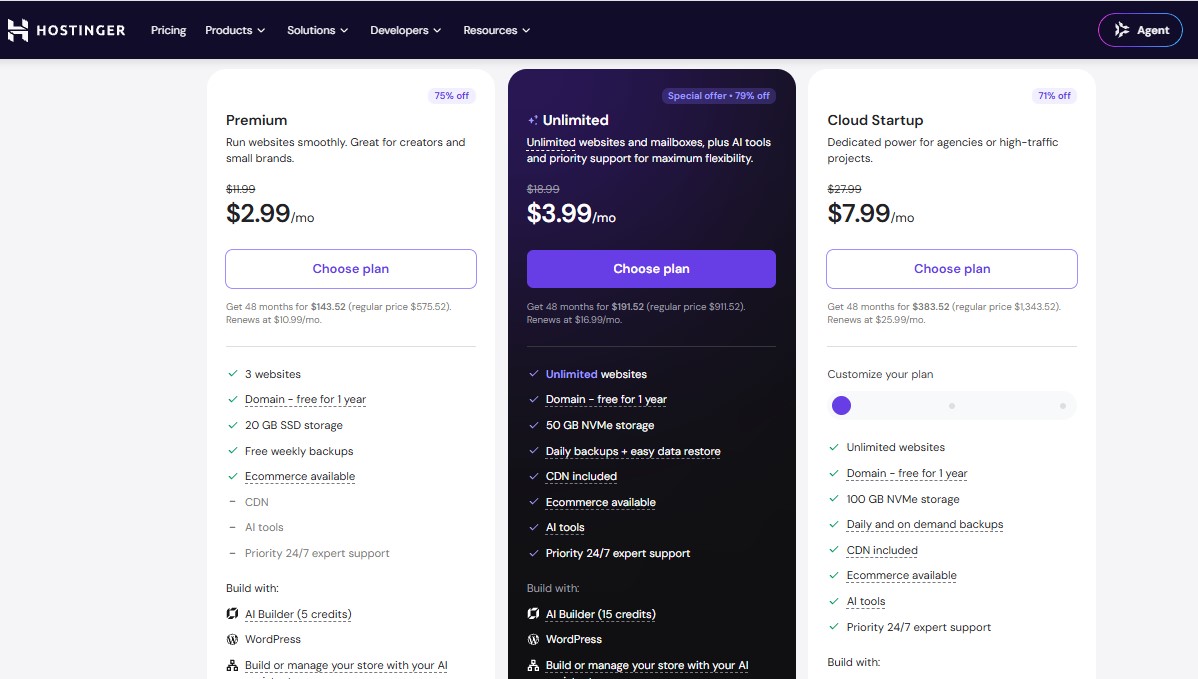
Hostinger pricing depends heavily on your location, hosting type, subscription length, promotions, and renewal period.
For example, Hostinger's current Nigeria website shows promotional 48-month pricing for its main web hosting plans.
| Plan |
Promotional Price |
Best For |
| Single |
₦990/month |
One simple website |
| Premium |
₦2,390/month |
Small businesses and multiple websites |
| Unlimited |
₦3,590/month |
Growing websites and businesses |
| Cloud Startup |
₦8,690/month |
Higher-traffic or resource-intensive projects |
These prices are based on the promotional 48-month plans currently displayed by Hostinger Nigeria. Renewal prices are higher, so don't look at the introductory monthly price alone when comparing plans.
Hostinger also offers different products, including managed WordPress hosting, website builder plans, VPS hosting, domains, and business email.
Pricing note: Hostinger pricing varies by country and can change frequently because of promotions and plan updates. Check the official pricing page for the price available in your location before purchasing.
Which Hostinger Plan Should You Choose?
The best plan depends on what you're building.
Single
The Single plan makes sense if you're creating your first website and only need one site.
It's suitable for a basic blog, personal website, portfolio, or small project.
Premium
Premium is a better choice if you want to run several websites or need more resources.
It can work well for bloggers, freelancers, small businesses, and creators managing multiple projects.
Unlimited
Unlimited is aimed at people who need more flexibility, especially businesses managing multiple websites.
It's also worth considering if you need more resources, email accounts, or ecommerce capabilities.
Cloud Startup
Cloud hosting is better suited to websites that need more performance and scalability.
If you're running a growing business, busy ecommerce website, agency site, or another resource-heavy project, cloud hosting may be a better fit than basic shared hosting.
Is Hostinger Good for Beginners?
Yes, and this is one of Hostinger's strongest selling points.
The company puts a lot of emphasis on making website creation accessible to people without technical experience.
You can use templates, an AI website builder, drag-and-drop editing, WordPress tools, and guided setup options instead of building everything from scratch.
That doesn't mean you'll never run into technical issues. Websites still involve domains, plugins, updates, DNS, security, and other concepts.
But Hostinger removes a lot of the complexity that can make the process intimidating for beginners.
Is Hostinger Good for Small Businesses?
Hostinger can be a good option for small businesses that want to establish an online presence without spending a large amount on hosting.
A small business can use it for a company website, blog, portfolio, landing page, or online store.
The combination of hosting, domain options, email, website-building tools, AI features, and ecommerce capabilities can also reduce the number of separate services you need to manage.
Pros and Cons of Hostinger
Pros
- Beginner-friendly setup
- Affordable introductory pricing
- Website builder included with relevant plans
- WordPress hosting available
- AI website-building tools
- Free SSL
- Domain included with eligible plans
- Ecommerce support
- Business email options
- 24/7 customer support
- 30-day money-back guarantee
Cons
- Renewal prices are higher than introductory prices
- Some advanced features are limited to higher plans
- Promotional pricing often requires a longer subscription period
- The cheapest plan is designed for simpler websites
- Features and prices vary depending on the country and product
Hostinger vs WordPress
It's important to understand that Hostinger and WordPress are not exactly the same thing.
WordPress is a content management system that you can use to build and manage a website.
Hostinger is a hosting company that provides the server and other tools needed to run your website.
You can use WordPress on Hostinger.
This combination can be useful if you want the flexibility of WordPress while letting Hostinger handle much of the hosting infrastructure.
How to Get Started With Hostinger
Getting started doesn't have to take long.
Step 1: Decide What You Want to Build
Before purchasing anything, decide whether you're creating a blog, business website, portfolio, online store, or another type of site.
Step 2: Choose Your Plan
Pick a plan based on the number of websites you need and the amount of resources your project requires.
Don't automatically choose the most expensive plan.
Step 3: Choose Your Domain
Register a new domain or connect one you already own.
Try to choose something short, memorable, and relevant to your brand.
Step 4: Choose Your Website Platform
You can use WordPress, Hostinger's website builder, or other available tools depending on your needs.
Step 5: Build Your Website
Choose a template or use AI to create an initial design.
Then customize the pages, content, images, colors, and branding.
Step 6: Publish and Improve
Once everything looks good, publish your website.
After that, keep your software updated, monitor performance, create useful content, and improve the site based on your visitors' needs.
Is Hostinger Worth It in 2026?
For beginners, bloggers, creators, and small businesses, Hostinger is still a strong option to consider.
Its biggest advantage is convenience. You can get hosting, domains, website-building tools, WordPress support, email, ecommerce features, and AI tools from one provider.
The main thing to watch is pricing after the introductory period.
A very low promotional price can look attractive, but you should always check the renewal price and the total amount you'll pay for the initial subscription term.
If you understand those costs and choose a plan that matches your website's needs, Hostinger can provide good value.
Frequently Asked Questions About Hostinger
What is Hostinger mainly used for?
Hostinger is mainly used to host websites and provide tools for building and managing them. It supports WordPress, website builders, ecommerce websites, domains, email, and other online projects.
Is Hostinger good for beginners?
Yes. Its website builder, templates, AI tools, and guided setup make it suitable for people who don't have much technical experience.
Does Hostinger include a free domain?
Eligible Hostinger plans include a domain free for the first year. The exact domain offer depends on the plan and its terms.
Does Hostinger support WordPress?
Yes. Hostinger offers managed WordPress hosting and tools designed specifically for WordPress websites.
Does Hostinger have an AI website builder?
Yes. Hostinger offers AI-powered website-building tools that can generate a starting website based on a description and allow you to customize it afterward.
Is Hostinger good for ecommerce?
Yes. Hostinger offers ecommerce features that allow users to create online stores, manage products and orders, and accept payments.
Does Hostinger offer a money-back guarantee?
Hostinger currently advertises a 30-day money-back guarantee on its hosting and website-building plans, subject to its terms.
Final Thoughts
Hostinger is more than a place to rent server space.
It has become a broader website platform that combines hosting with domains, WordPress tools, website building, ecommerce, email, AI, security, and other services.
For someone building their first website, that can make the whole process less stressful.
The main thing to remember is that Hostinger's cheapest advertised price is usually a promotional rate tied to a specific subscription period. Always check the renewal price and the features included with the plan before paying.
If you're looking for an affordable way to get a website online in 2026, Hostinger is definitely worth putting on your shortlist.
Ready to Build Your Online Presence?
Don't let complicated website setup hold you back. With Hostinger, you can get your hosting, domain, and website-building tools in one place.
Start your website with Hostinger today and turn your idea into something people can find online.
Get Started with Hostinger →