


Starting an online store sounds simple until you think about inventory, printing, packaging, shipping, and the money required to buy products before you have customers.
Printify offers a different approach.
Instead of buying products in bulk and storing them yourself, you can create designs, place them on products such as T-shirts, mugs, hoodies, phone cases, and posters, and sell them through an online store. When someone places an order, a Printify Print Provider produces and ships the item to the customer.
That model is known as print on demand (POD).
But how exactly does Printify work, how much does it cost, and can you actually build a profitable business with it?
This guide explains everything beginners need to know about Printify and how to get started.
What Is Printify?
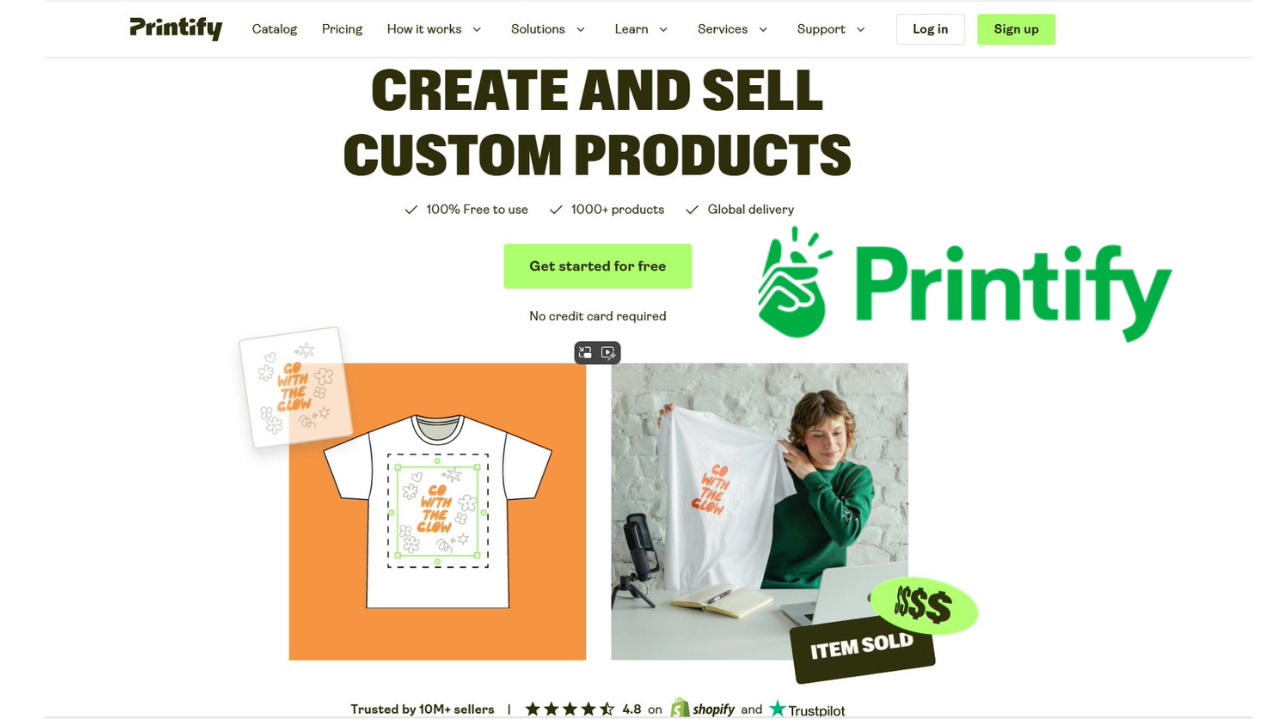
Printify is a print-on-demand platform that connects online sellers with a network of Print Providers responsible for producing and fulfilling products after customers place orders. This means you don't need to purchase inventory upfront or operate your own warehouse.
The basic idea is straightforward:
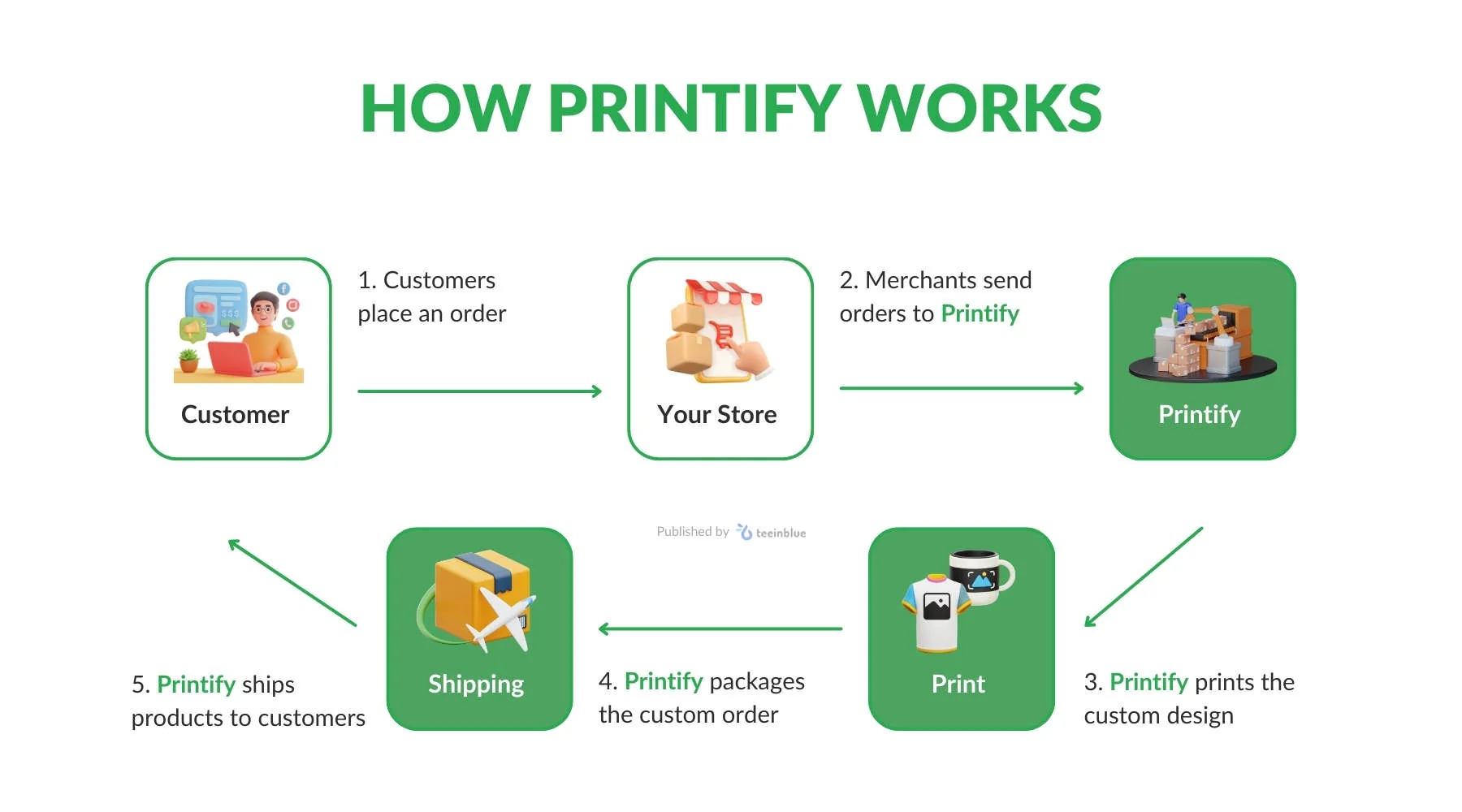
You create the design → choose a product → publish it in your store → customer places an order → Printify sends the order to a Print Provider → the product is printed and shipped → you keep the difference between your selling price and fulfillment costs.
Printify currently offers more than 2,000 customizable products and works with more than 90 Print Providers, according to its current platform information.
This makes it possible to start a product-based business without handling physical inventory yourself.
How Does Printify Work?
Printify essentially handles the production side of your business while you focus on creating products, marketing them, and getting customers.
Here's how the process works.
1. Create a Printify account
You can create a Printify account without paying a monthly subscription.
The Free plan allows you to create designs, connect sales channels, and start selling. You pay for the product and shipping when an order is placed rather than paying for inventory upfront.
2. Choose a product
Printify has a large product catalog.
Depending on your niche, you could sell:
- T-shirts
- Hoodies
- Sweatshirts
- Mugs
- Posters
- Tote bags
- Phone cases
- Hats
- Socks
- Water bottles
- Home and lifestyle products
You don't necessarily need to sell dozens of products when starting.
It's often smarter to choose a specific audience and build products around that audience.
For example, instead of creating a random store selling everything from mugs to hoodies, you could build a brand around:
Fitness enthusiasts → gym T-shirts, water bottles and workout accessories.
3. Create your design
You can upload your own artwork or create product designs using Printify's available design tools.
Your design is then placed onto the product using Printify's Product Creator.
This is where your creativity and understanding of your target audience become important.
The technology can help produce the product, but it doesn't automatically create demand.
4. Choose a Print Provider
One of the important parts of Printify's model is its network of Print Providers.
Different providers can offer different production costs, shipping options, product availability, and fulfillment locations.
Before publishing a product, compare the available options instead of automatically choosing the cheapest provider.
A slightly more expensive option may make more sense if it offers better quality or faster delivery to your target customers.
5. Publish the product in your store
Once your product is ready, you can publish it to a connected sales channel.
Printify supports integrations with platforms including Shopify, Etsy, WooCommerce, eBay, BigCommerce, PrestaShop, Wix, and others.
6. A customer places an order
Suppose you list a T-shirt for $24.99.
A customer discovers the product and buys it from your store.
The order is then forwarded to Printify and the relevant Print Provider according to your order settings.
7. Printify handles fulfillment
The Print Provider produces, packages, and ships the product.
You don't need to keep boxes of T-shirts in your bedroom or rent a warehouse.
This is one of the biggest attractions of print-on-demand.
8. You keep the profit
Your profit is essentially the difference between what the customer pays and your product fulfillment costs, after accounting for other business expenses.
For example:
| Item | Example |
|---|---|
| Selling price | $24.99 |
| Product + fulfillment cost | $10 |
| Gross difference | $14.99 |
Your actual profit can be lower after considering advertising, marketplace fees, taxes, payment processing, refunds, and other expenses.
Printify gives sellers control over their retail prices.
Is Printify Free?
Yes, Printify has a free plan.
You can create an account and use the platform without paying a monthly subscription.
However, "free" doesn't mean you won't have business expenses.
When customers order products, you'll still pay the product fulfillment cost and shipping.
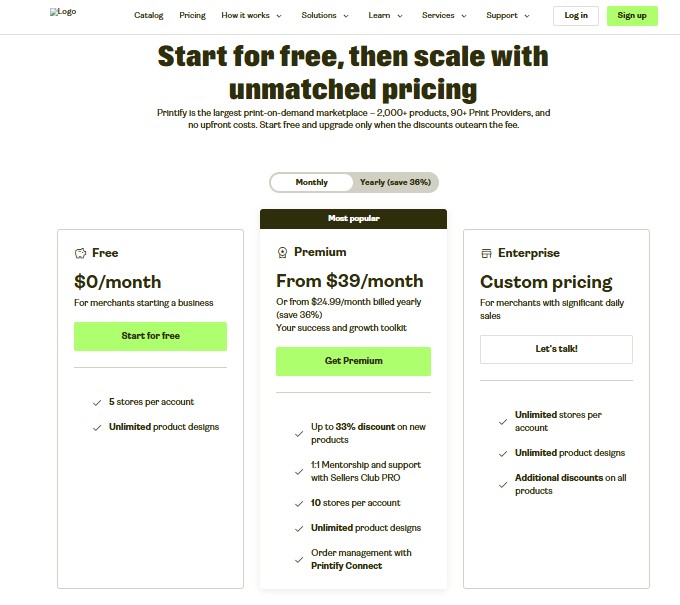
Printify currently offers three main plan levels:
| Plan | Current price | Best for |
|---|---|---|
| Free | $0/month | Beginners |
| Premium | From $39/month | Growing sellers |
| Enterprise | Custom | High-volume businesses |
The Premium plan can also be purchased annually for $299, which is equivalent to about $24.99 per month when averaged across the year.
Premium provides product discounts, additional store capacity, Printify Connect, AI mockup tools, and other benefits.
Should a beginner pay for Printify Premium?
Probably not immediately.
If you're testing your first designs and haven't established consistent sales, the Free plan can be enough.
Premium becomes more interesting when you're generating enough orders for the product discounts to outweigh the subscription cost.
In other words, prove your business model first, then consider upgrading.
How to Start a Printify Print-on-Demand Business
You don't need a huge catalog to get started.
A simple process is:
Step 1: Choose a niche
Your first priority should be identifying who you want to sell to.
Examples include:
- Pet owners
- Gamers
- Fitness enthusiasts
- Teachers
- Travelers
- Entrepreneurs
- Book lovers
- Sports fans
- Hobby communities
A specific audience gives you a clearer direction for your products and marketing.
Step 2: Research your audience
Find out what your potential customers care about.
Look at:
- Common problems
- Popular phrases
- Existing products
- Competitors
- Customer reviews
- Social media conversations
- Product trends
The goal isn't to copy existing sellers.
It's to understand what customers already want and find an opportunity to create something different.
Step 3: Create your designs
Develop original designs that fit your niche.
Don't rely solely on generic graphics or random motivational quotes.
A strong design should give someone a reason to choose your product over dozens of alternatives.
Step 4: Select your products and Print Provider
Compare product quality, pricing, shipping, and provider ratings.
If possible, order samples before investing heavily in advertising.
You want to know what your customer will actually receive.
Step 5: Build your online store
You can connect Printify to several ecommerce platforms.
Shopify is one of the popular choices for sellers who want their own branded storefront. Printify provides a direct Shopify integration that allows products to be published and orders to be routed to Printify.
You can also use marketplaces such as Etsy, depending on your business model.
Step 6: Price your products properly
Don't simply look at the production cost and add a few dollars.
Your price needs to account for:
Product cost + shipping + platform fees + payment processing + marketing + desired profit.
Printify recommends considering your desired profit margin when setting retail prices.
Step 7: Start marketing
Creating a product doesn't guarantee sales.
You'll need to bring potential customers to your store.
Depending on your audience, this could involve:
- TikTok
- SEO
- YouTube
- Email marketing
- Influencer partnerships
- Paid advertising
- Organic social media
Your marketing strategy can ultimately matter as much as the product itself.
How to Make Money With Printify
Printify doesn't automatically make you money.
It provides the infrastructure for a print-on-demand business, but you still need to create products people want and find customers who are willing to buy them.
A simple example:
Suppose you sell a T-shirt for $25.
If your combined fulfillment and shipping costs are $12, your gross difference is $13.
Sell 10 shirts and that's $130 before other expenses.
Sell 100 and that's $1,300 before other expenses.
The important part is that these numbers aren't guaranteed.
Your real profitability depends on factors such as product costs, pricing, shipping, advertising costs, platform fees, taxes, refunds, and sales volume.
That's why successful Printify sellers generally focus on profit per order rather than simply chasing sales volume.
Printify vs. Traditional Inventory
One of the biggest advantages of print-on-demand is the difference in financial risk.
| Traditional inventory | Printify POD |
|---|---|
| Buy products in advance | Products made after orders |
| Need storage | No personal warehouse required |
| Higher upfront investment | Lower upfront inventory risk |
| Unsold inventory can become a problem | No bulk inventory to clear |
| You manage fulfillment | Print Provider handles fulfillment |
| More operational work | More automation |
Print-on-demand doesn't eliminate business risk, but it can substantially reduce the inventory risk associated with starting a product business.
Printify and Shopify: How the Integration Works
If you want to build your own ecommerce store, Printify's Shopify integration is worth considering.
You can connect Shopify to Printify from the Printify dashboard or install the Printify app through Shopify. After connecting the accounts, you can create products and publish them to your store.
The basic workflow looks like this:
Printify → Product creation → Shopify store → Customer order → Printify → Print Provider → Customer
This allows you to focus more on branding, marketing, and customer acquisition while Printify and its Print Providers handle much of the physical fulfillment.
Pros and Cons of Printify
Pros
- Free plan available
- No need to purchase inventory upfront
- Large product catalog
- Multiple Print Providers
- Integrations with major ecommerce platforms
- Automated order fulfillment
- You control retail pricing
- Suitable for beginners
- Can scale as sales increase
Cons
- Product quality can vary between providers
- You don't control the physical fulfillment process
- Shipping costs affect your margins
- Competition in popular niches can be intense
- Marketing is still your responsibility
- Premium only makes financial sense for some sellers
The platform can simplify fulfillment, but it doesn't replace the need for good product research, branding, customer service, and marketing.
Is Printify Worth It for Beginners?
For someone who wants to test a print-on-demand business without purchasing inventory upfront, Printify can be a practical place to start.
The Free plan lowers the barrier to entry, while integrations with ecommerce platforms make it possible to connect your products to a broader online selling strategy.
However, don't approach Printify as a shortcut to easy money.
Your biggest challenges will probably be:
- Finding a profitable niche
- Creating products people actually want
- Standing out from competitors
- Getting traffic
- Maintaining healthy profit margins
If you can solve those problems, Printify can take much of the manufacturing and fulfillment work off your hands.
Frequently Asked Questions
What is Printify used for?
Printify is used to create and sell customized products through a print-on-demand business model. It connects sellers with Print Providers that produce and fulfill orders.
Is Printify completely free?
Printify has a Free plan with no monthly subscription fee. You still pay product fulfillment and shipping costs when orders are placed.
Can I make money with Printify?
Yes, you can make money with Printify, but profitability isn't guaranteed. Your results depend on product selection, pricing, marketing, sales volume, and business expenses.
Does Printify work with Shopify?
Yes. Printify integrates with Shopify, allowing sellers to create products and connect their Shopify stores to Printify's fulfillment network.
Do I need inventory to use Printify?
No. Printify's print-on-demand model allows products to be produced after customers place orders, so you don't need to purchase and store inventory in advance.
Does Printify handle shipping?
Printify's Print Providers handle production, packaging, and shipping for orders.
Is Printify good for beginners?
Yes. The Free plan, product creation tools, and ecommerce integrations make Printify accessible to beginners. However, you'll still need to learn product research, marketing, pricing, and ecommerce fundamentals.

Final Thoughts
Printify makes the physical side of starting a product business considerably simpler.
You don't have to buy hundreds of products before knowing whether they'll sell. Instead, you can create designs, publish products, and have them produced when customers order.
That makes print-on-demand an attractive business model for beginners, creators, and entrepreneurs who want to test ecommerce without taking on traditional inventory risk.
But remember: Printify is the infrastructure, not the business.
Your success will ultimately depend on the niche you choose, the products you create, your pricing strategy, your marketing, and your ability to give customers a reason to buy from you.
If you're just starting out, the sensible approach is to begin with the Free plan, test a small collection of products, learn what your audience responds to, and scale once you have evidence that your store can generate sales.
Ready to start your print-on-demand business?
Start selling with Printify and explore the platform's products, integrations, and tools before launching your first collection.