

Running a home-service business involves much more than completing jobs. You also have to schedule technicians, communicate with customers, send estimates, collect payments, manage invoices, and keep track of day-to-day operations.
Doing all of this manually can quickly become difficult as your business grows.
Housecall Pro is designed to bring many of these tasks into one platform. It provides field-service management tools that help businesses manage jobs, customers, scheduling, invoicing, payments, and other parts of their operations from a central system.
But is Housecall Pro right for your business? What does it actually do, how much does it cost, and how can you get started?
In this guide, we'll explain what Housecall Pro is, how it works, its main features, pricing, pros and cons, and how to start using it.
What Is Housecall Pro?
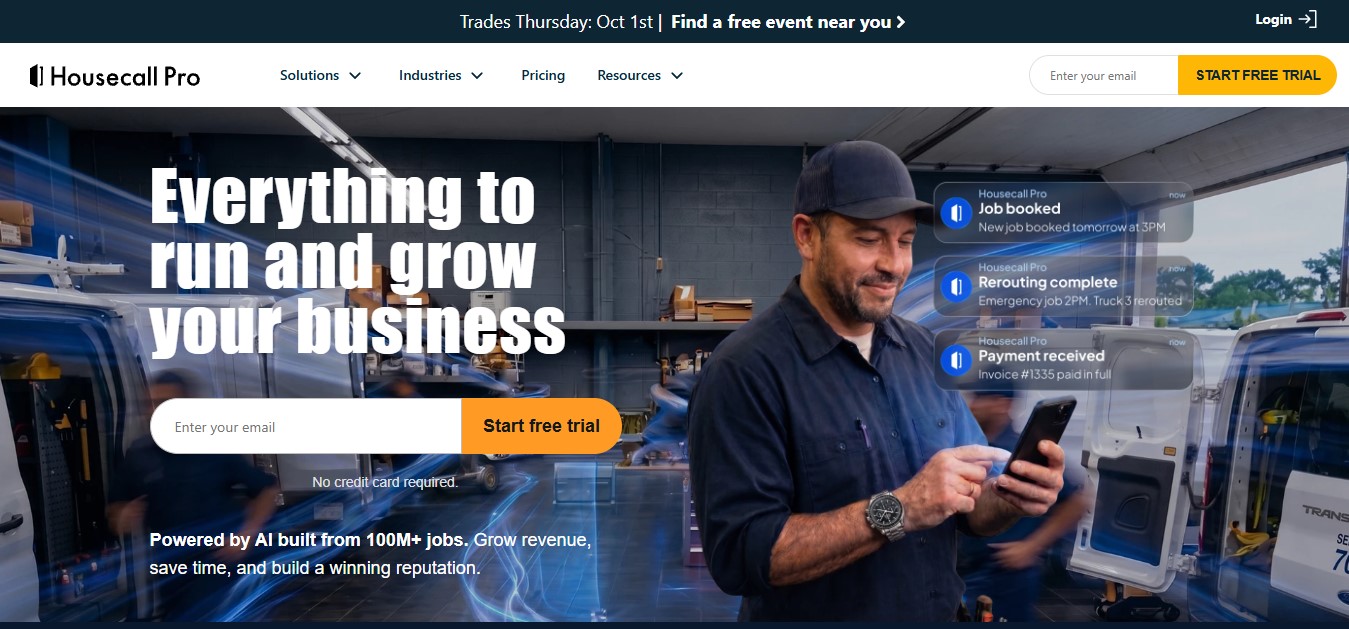
Housecall Pro is field service management software designed for home-service businesses. It helps service professionals manage jobs, schedules, customers, estimates, invoices, payments, and other business activities from one platform.
The software is aimed at businesses such as:
- HVAC companies
- Plumbing businesses
- Electrical contractors
- Cleaning companies
- Landscaping businesses
- Handyman services
- Pest control companies
- Appliance repair businesses
- Garage door companies
- Other home-service businesses
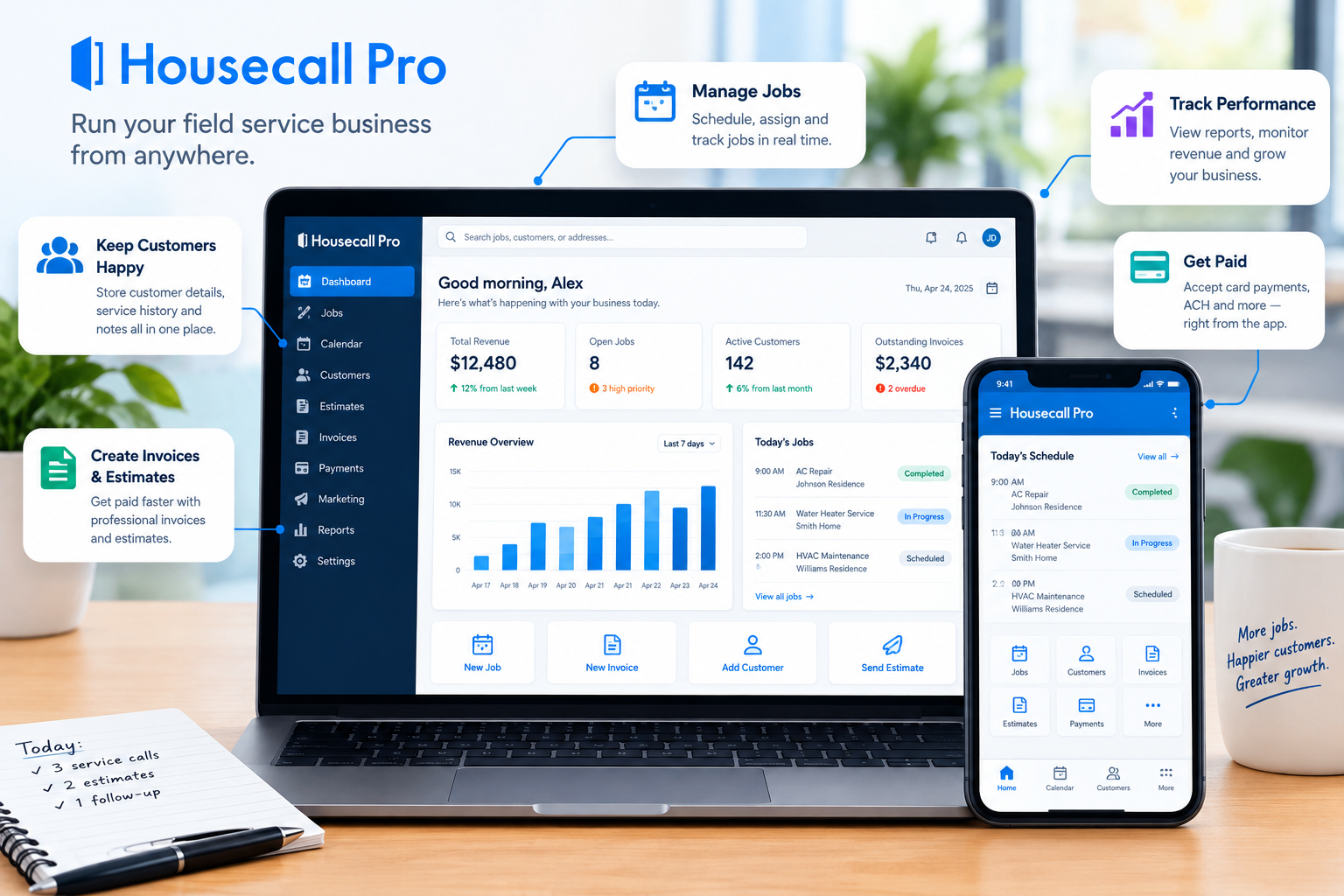
Housecall Pro is designed to work for both solo operators and growing teams. Its platform includes scheduling and dispatching, online booking, estimates, invoicing, payments, customer management, review management, and mobile tools.
Instead of using separate software for scheduling, invoicing, customer communication, and payments, a business can manage many of these activities through Housecall Pro.
How Does Housecall Pro Work?
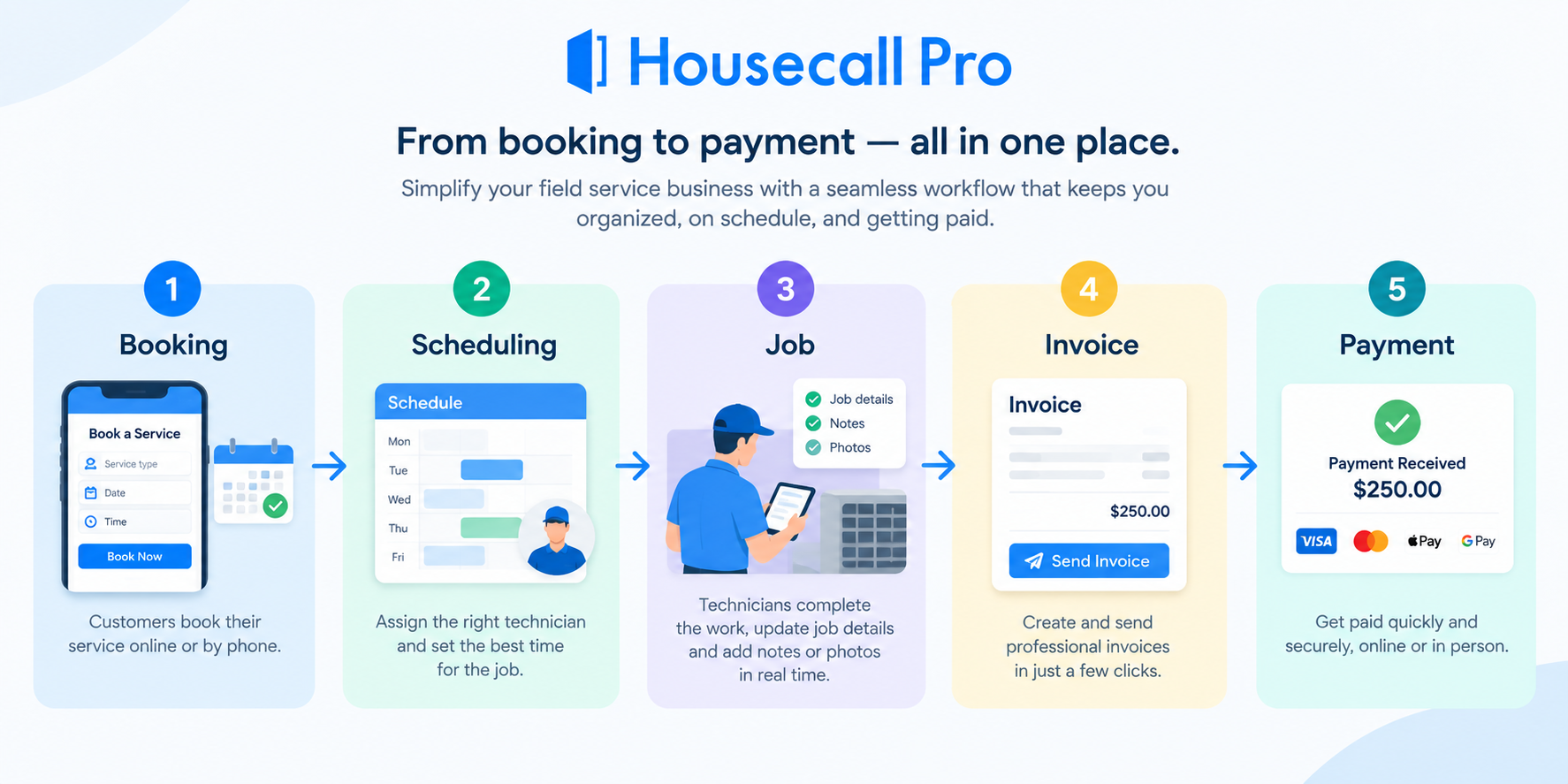
Housecall Pro works by connecting different parts of a service business workflow.
For example, a typical job can move through several stages:
Customer books service → Business schedules job → Technician receives job details → Technician completes work → Business sends invoice → Customer pays
Housecall Pro provides tools for managing these steps within the same system.
You can create customers and jobs, schedule appointments, assign technicians, send estimates, communicate with customers, create invoices, and accept payments. The platform also provides a mobile app so field technicians can manage job information while working away from the office.
1. Book or Create a Job
Businesses can create jobs and estimates and add customer information, services, notes, and scheduling details.
Jobs can also be scheduled directly from the calendar.
2. Schedule and Dispatch Technicians
Once a job is created, you can schedule it and assign it to the appropriate technician.
Housecall Pro includes a drag-and-drop scheduling system, recurring jobs, notifications, and tools for managing technician schedules.
3. Complete the Job
Technicians can use the mobile app to access job details while they're in the field.
Housecall Pro also supports features such as On My Way texts, allowing businesses to keep customers informed about technician arrival times.
4. Send the Invoice
After completing the work, businesses can create and send professional invoices.
Invoices can be sent by email or text, and customers can pay online using supported payment methods. Housecall Pro also provides automated invoice reminders.
5. Collect Payment
Housecall Pro supports payments online and in the field, including card payments and ACH bank payments. It also offers options such as consumer financing and mobile check deposits.
Key Housecall Pro Features
Housecall Pro includes a wide range of tools designed around the needs of home-service businesses.
1. Scheduling and Dispatching
Scheduling is one of the core features of Housecall Pro.
Businesses can schedule one-time or recurring jobs, assign technicians, adjust appointments, and manage their daily calendars.
The platform also provides route-related tools to help businesses organize jobs and reduce unnecessary travel time.
2. Estimates and Proposals
Housecall Pro allows businesses to create and send estimates before work begins.
Its sales proposal tools can also help businesses present services, pricing, and visual information in a more professional format.
3. Invoicing
With Housecall Pro, businesses can create professional invoices using job and customer information.
The platform supports automated reminders, online payments, invoice tracking, and progress invoicing for larger or multi-stage jobs.
4. Online Payments
Customers can pay invoices online, while businesses can also accept payments in the field.
Supported options include card payments, ACH bank transfers, financing, and mobile check deposits.
5. Online Booking
Housecall Pro allows businesses to provide online booking through their website and Google.
This means potential customers can schedule services without having to call the business during normal office hours.
6. Customer Management
The platform helps businesses keep customer and job information organized.
It also includes a customer portal where customers can view appointments, estimates, invoices, payments, and other information.
7. Review Management
Housecall Pro includes tools for requesting and managing customer reviews.
This can help service businesses build their online reputation and encourage satisfied customers to leave feedback.
8. QuickBooks Integration
Housecall Pro integrates with QuickBooks to help businesses reduce duplicate data entry.
Depending on the workflow, invoices, customers, payments, and other financial information can be synchronized with accounting software.
9. Mobile App
The Housecall Pro mobile app allows technicians and business owners to access important business information while working in the field.
The app is available for both iOS and Android.
10. Job Costing and Reporting
For businesses that want greater visibility into profitability, Housecall Pro includes job-costing and reporting tools.
These can help owners understand job expenses, performance, revenue, and other business metrics.
Housecall Pro Pricing
Housecall Pro currently offers three main subscription levels: Basic, Essentials, and MAX.
Pricing can vary depending on billing frequency and the number of users, so it's worth checking the official pricing page before subscribing.
| Plan | Annual billing | Monthly billing | Best for |
|---|---|---|---|
| Basic | $59/month | $79/month | Solo operators and smaller businesses |
| Essentials | $149/month | $189/month | Growing teams |
| MAX | $299/month | $329/month | Scaling businesses |
Housecall Pro currently offers a 14-day free trial, with no credit card required. The trial provides access to the MAX plan during the trial period.
Basic
The Basic plan is designed for businesses getting started with Housecall Pro.
It includes features such as:
- Online booking
- Scheduling and dispatch
- Estimates and invoicing
- Payments
- Price Book
- Job costing
- Review management
The current listed price is $59/month when billed annually or $79/month when billed monthly.
Essentials
Essentials is designed for businesses managing more jobs and larger teams.
It includes everything in Basic, plus features such as:
- Routes
- Flat-rate pricing
- Checklist automations
- Photo reports
- Employee GPS tracking
- Commissions
- QuickBooks Online sync
The current listed price is $149/month annually or $189/month monthly, with five users included.
MAX
MAX is designed for businesses that need more advanced capabilities.
It includes everything in Essentials, plus:
- Sales proposal tools
- Recurring service plans
- Route optimization
- Open API access
- Dedicated onboarding
- Escalated phone support
The current listed price is $299/month annually or $329/month monthly, with eight users included.
Important: Housecall Pro pricing can change, so verify the current price before making a purchasing decision.
Which Housecall Pro Plan Should You Choose?
The right plan depends mainly on the size and complexity of your business.
Choose Basic if you're a solo service professional or small operation that mainly needs scheduling, estimates, invoicing, payments, and customer management.
Choose Essentials if you have a growing team and need additional tools such as routes, GPS tracking, checklists, and QuickBooks synchronization.
Choose MAX if you're scaling a larger operation and need advanced sales, recurring-service, route optimization, API, and onboarding capabilities.
If you're unsure, Housecall Pro also provides a plan-selection process based on your industry, team size, and business goals.
How to Get Started With Housecall Pro
Getting started with Housecall Pro involves setting up your business information and configuring your workflow.
Step 1: Start Your Free Trial
Housecall Pro currently offers a 14-day free trial with no credit card required.
Step 2: Set Up Your Business Profile
Add your business information, logo, contact details, website, industry, and other relevant information.
You can also configure the information that appears on estimates, invoices, and receipts.
Step 3: Add Your Employees
If you have technicians or other employees, add them to your account and configure their access.
Step 4: Configure Services and Pricing
Set up your services, prices, taxes, and other pricing information.
Housecall Pro's Price Book can help standardize the way services and pricing are presented to customers.
Step 5: Set Up Scheduling and Payments
Configure your booking rules, calendar, payment options, invoices, and customer notifications.
Step 6: Create Your First Job
Add a customer, create an estimate or job, schedule it, and assign the appropriate technician.
Step 7: Test the Complete Workflow
Before relying on the software for every customer, test the process from booking → scheduling → job completion → invoicing → payment.
This gives you an opportunity to identify anything that needs to be changed before your team starts using it regularly.
Pros and Cons of Housecall Pro
Pros
- Designed specifically for home-service businesses
- Scheduling and dispatching tools
- Online booking
- Estimates and invoicing
- Integrated payment options
- Customer management
- Mobile app
- Review management
- QuickBooks integration
- Multiple pricing tiers for different business sizes
Cons
- Monthly subscription cost can become significant for larger teams
- Some advanced features require higher-tier plans
- Payment processing fees apply
- It may be more software than a very small business needs
Is Housecall Pro Worth It?
Housecall Pro can be a strong option for home-service businesses that want to manage their operations from one platform.
Its biggest advantage is that it connects important parts of the service-business workflow—from booking and scheduling to estimates, job management, invoicing, and payments.
For a solo contractor, the Basic plan may provide enough functionality to replace several separate tools. For growing teams, Essentials and MAX add more advanced scheduling, routing, tracking, sales, and operational features.
However, the best choice depends on your business size, industry, budget, and the features you actually need.
The 14-day trial is therefore a useful way to test the platform before committing to a paid plan.
Frequently Asked Questions About Housecall Pro
What is Housecall Pro used for?
Housecall Pro is used to manage home-service businesses, including scheduling, dispatching, estimates, invoicing, payments, customer management, online booking, and reviews.
Is Housecall Pro good for small businesses?
Yes. Housecall Pro offers a Basic plan aimed at businesses getting started, while higher plans provide additional tools for growing teams.
Does Housecall Pro have a free trial?
Yes. Housecall Pro currently offers a 14-day free trial with no credit card required.
Does Housecall Pro integrate with QuickBooks?
Yes. Housecall Pro offers QuickBooks integration, with QuickBooks Online synchronization included in the Essentials plan according to its current pricing information.
Can customers pay through Housecall Pro?
Yes. Customers can pay through supported online payment options, while businesses can also accept payments in the field.
What businesses use Housecall Pro?
Housecall Pro is designed for home-service businesses including HVAC, plumbing, electrical, cleaning, landscaping, handyman, pest control, appliance repair, and other service businesses.
Final Thoughts
Housecall Pro is more than a scheduling tool. It is a field service management platform designed to help home-service businesses organize jobs, communicate with customers, manage technicians, send estimates and invoices, collect payments, and grow their operations.
Its combination of scheduling, dispatching, online booking, invoicing, payments, customer management, mobile tools, and integrations makes it particularly relevant for service businesses that are outgrowing spreadsheets and disconnected software.
If you're considering Housecall Pro, the 14-day free trial gives you an opportunity to test the platform with your actual workflow before choosing a paid plan. Start Your Free Housecall Pro Trial
You can also view Housecall Pro’s pricing and plans to compare the available options and features.