Managing projects, tasks, deadlines, documents, and team communication can quickly become complicated, especially when everything is spread across different apps.
ClickUp is designed to bring much of that work together in one place.
Whether you're a freelancer, small business owner, project manager, or part of a larger team, ClickUp gives you tools for managing tasks, projects, documents, communication, goals, time, and more.
But is ClickUp right for you? In this guide, we'll look at
what ClickUp is, how it works, its key features, pricing, pros and cons, and how to get started.
What Is ClickUp?
ClickUp is a
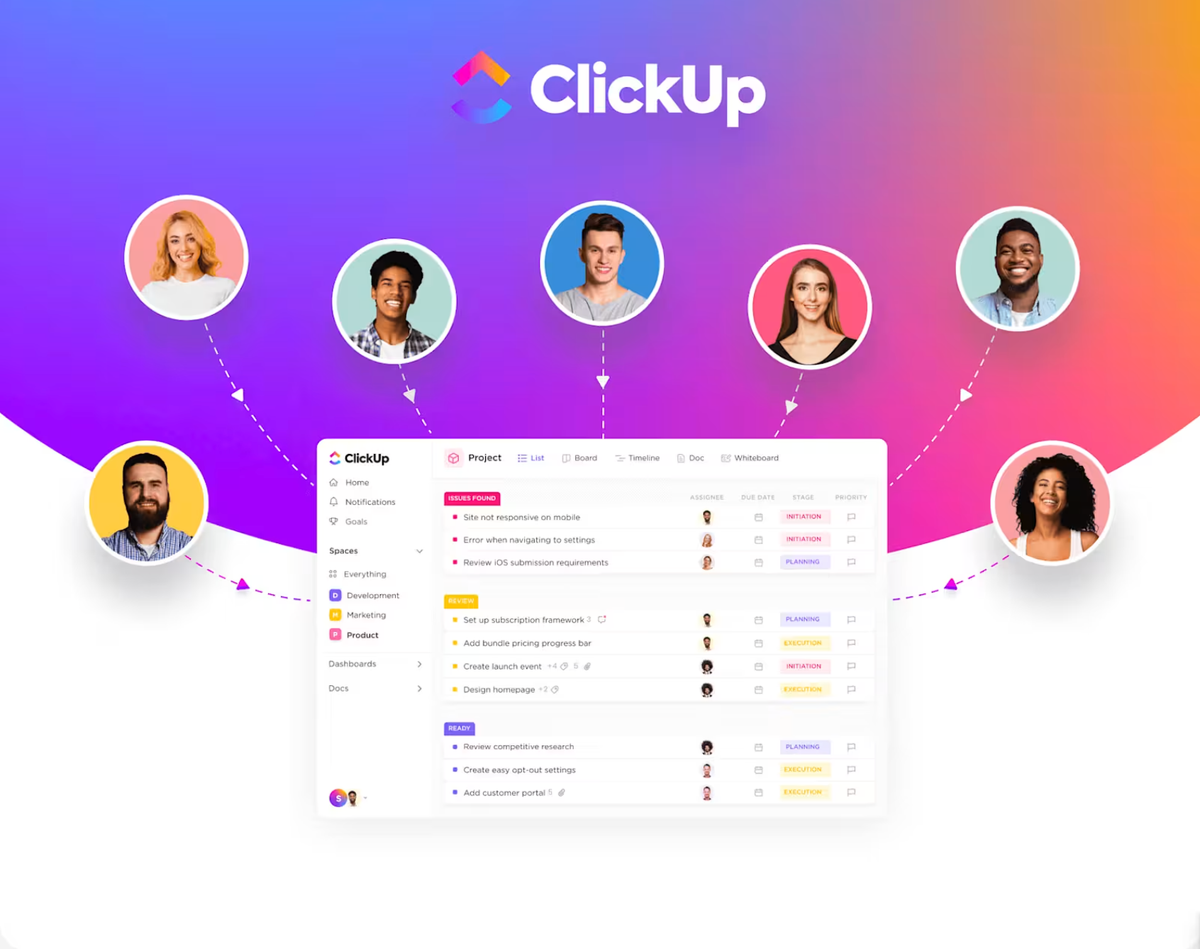
work management and productivity platform that helps individuals and teams organize and manage their work from one central workspace.
Instead of using one application for tasks, another for documents, another for team communication, and another for project tracking, ClickUp brings many of these functions together.
ClickUp describes its platform as an
“Everything App for work,” combining tasks, Docs, Goals, Chat, dashboards, and AI capabilities in one workspace.
You can use ClickUp to plan projects, assign tasks, set deadlines, communicate with teammates, create documents, track progress, monitor performance, and automate repetitive work.
It is flexible enough to be used by individuals as well as teams and businesses with more complex workflows.
How Does ClickUp Work?
ClickUp starts with a
Workspace, which is where you organize your company's or personal work.
From there, you can create Spaces, Folders, Lists, and Tasks to structure your projects and responsibilities. ClickUp's hierarchy is designed to scale as your work becomes more complex.
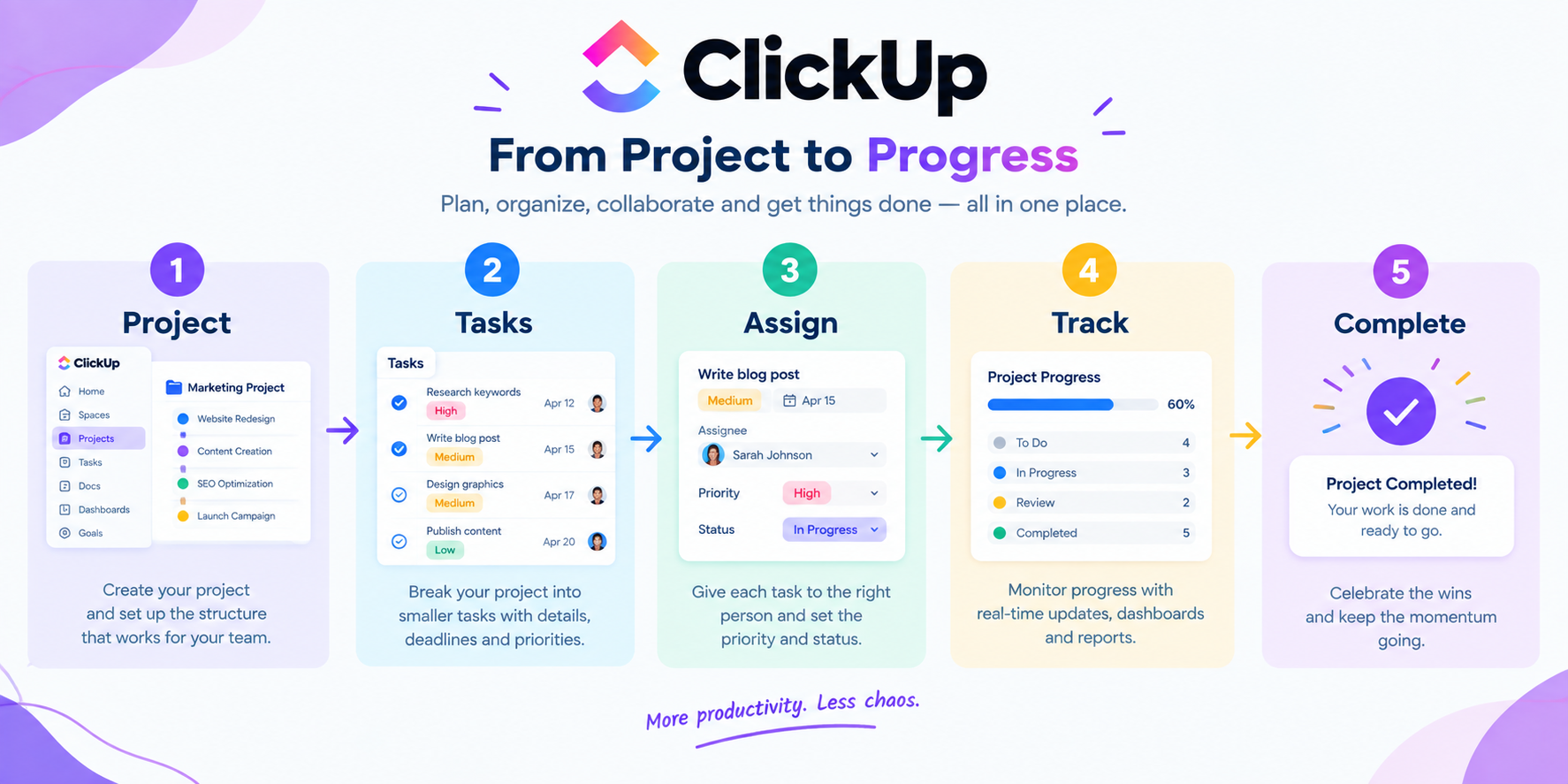
A simple ClickUp workflow might look like this:
Create a project → Break it into tasks → Assign tasks → Set deadlines → Track progress → Collaborate → Complete the work
Here's how it works in practice:
1. Create a Workspace
After creating a ClickUp account, you'll have a Workspace where you can organize your work. You can use a Workspace for yourself, a business, a team, or an organization.
2. Create projects and tasks
You can break larger projects into smaller tasks. Each task can have an assignee, due date, priority, status, comments, attachments, and other details.
This makes it easier to see who is responsible for what and what needs to be completed next.
3. Organize your work
ClickUp provides different ways to organize and view your work. Depending on your plan, you can use List, Board, Calendar, Gantt, Dashboard, Form, and other views.
For example, a marketing team could create tasks for:
- Keyword research
- Blog writing
- Graphic design
- Editing
- SEO optimization
- Publishing
Each task can then move through different stages until the project is complete.
4. Collaborate with your team
ClickUp also includes communication and collaboration tools. Team members can comment on tasks, share documents, use Chat, and keep project conversations connected to the work.
This can reduce the need to constantly switch between different applications just to find information or communicate with teammates.
5. Track progress
Once your work is organized, ClickUp gives you different ways to monitor progress.
Dashboards can help you get a broader view of projects, tasks, workload, and other performance information, depending on the features available on your plan.
Key ClickUp Features
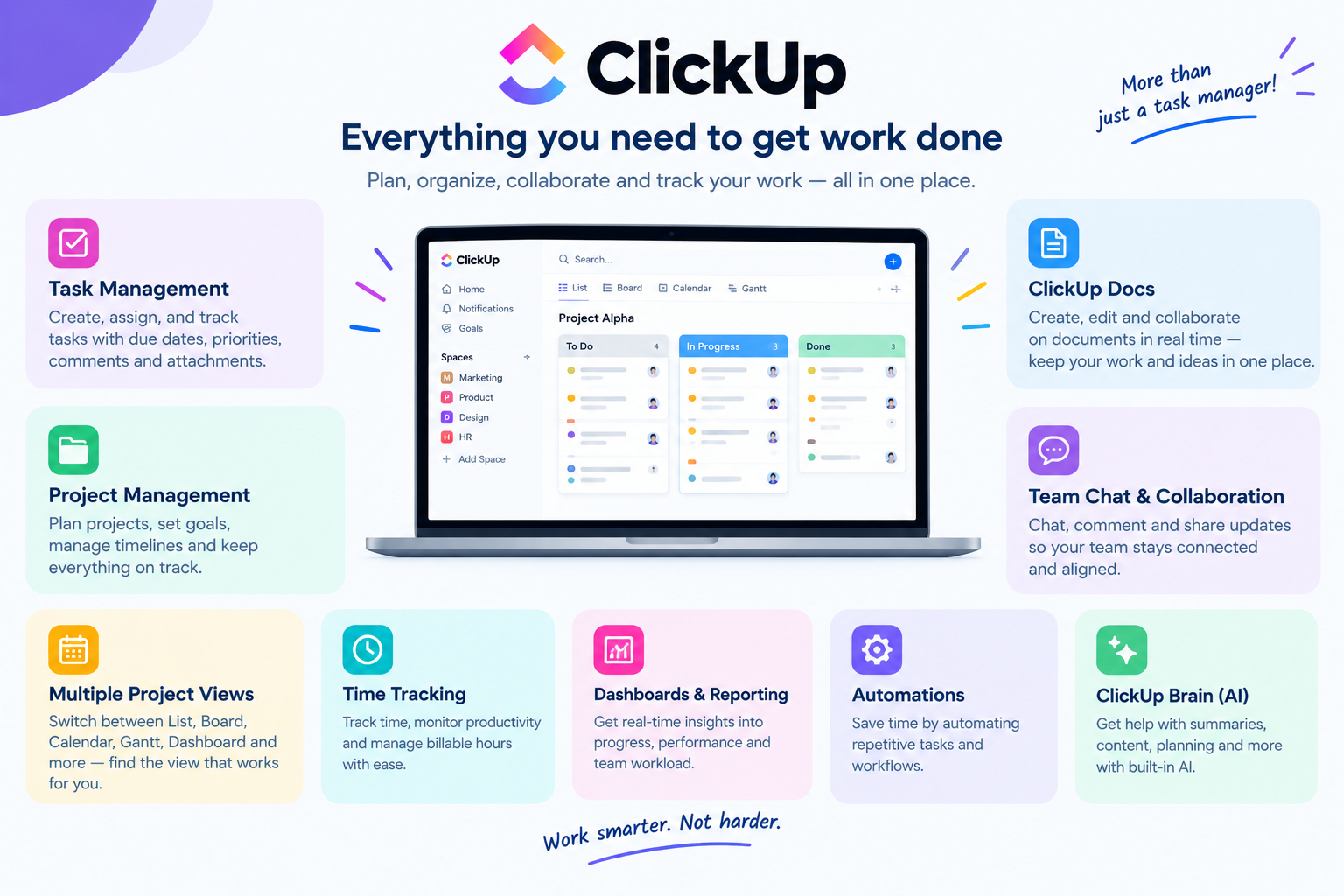
ClickUp has a large collection of features, which is one of the main reasons businesses use it as a central work management platform.
Task Management
Task management is at the heart of ClickUp.
You can create tasks, assign them to team members, add due dates, set priorities, attach files, add comments, and track their status.
This makes it easier to turn a large project into smaller, manageable pieces of work.
Project Management
ClickUp can be used to plan and manage projects from beginning to end.
You can create project structures, assign responsibilities, set deadlines, track dependencies, and use different views to understand how work is progressing.
Multiple Project Views
Different people prefer to manage work in different ways. ClickUp supports views such as
List, Board, Calendar, Gantt, Dashboard, and more, with availability depending on the plan.
For example, a Kanban-style Board can be useful for tracking tasks as they move from “To Do” to “In Progress” and finally “Completed.”
ClickUp Docs
ClickUp Docs lets teams create and collaborate on documents directly inside their workspace.
You can use Docs for meeting notes, project plans, company information, content briefs, procedures, and other types of documentation.
Team members can collaborate in real time, leave comments, and connect documentation with actual tasks.
Team Chat and Collaboration
ClickUp includes Chat for keeping work-related conversations within the same platform.
Instead of having project information spread across email, messaging apps, and task management software, teams can keep more of their conversations connected to their work.
Time Tracking
ClickUp also provides time-tracking tools that allow users to record how much time they spend on their work.
This can be useful for freelancers tracking billable hours, agencies monitoring client projects, or businesses trying to understand where their team's time is going. Feature availability and limits can vary by plan.
Dashboards and Reporting
ClickUp Dashboards provide a visual way to monitor work and performance.
Depending on the plan, users can create different dashboard cards to track things such as tasks, activity, project progress, and other information.
Automations
ClickUp can automate repetitive parts of your workflow.
For example, you can create rules that automatically assign tasks, update statuses, or trigger other actions when certain conditions are met.
This can save time when you're managing projects with repetitive processes.
ClickUp Brain and AI
AI is now a major part of ClickUp's platform.
ClickUp Brain provides contextual AI features that can work with information inside your workspace. It can help with tasks such as creating project plans, summarizing work, finding information, and generating content.
ClickUp also offers AI-powered agents and other AI capabilities, although availability and usage limits depend on the plan.
Mobile and Desktop Apps
You don't have to stay in a browser to use ClickUp. The platform is available through the web, desktop applications, and mobile devices, making it possible to access and manage your work from different devices.
ClickUp Pricing: How Much Does ClickUp Cost?
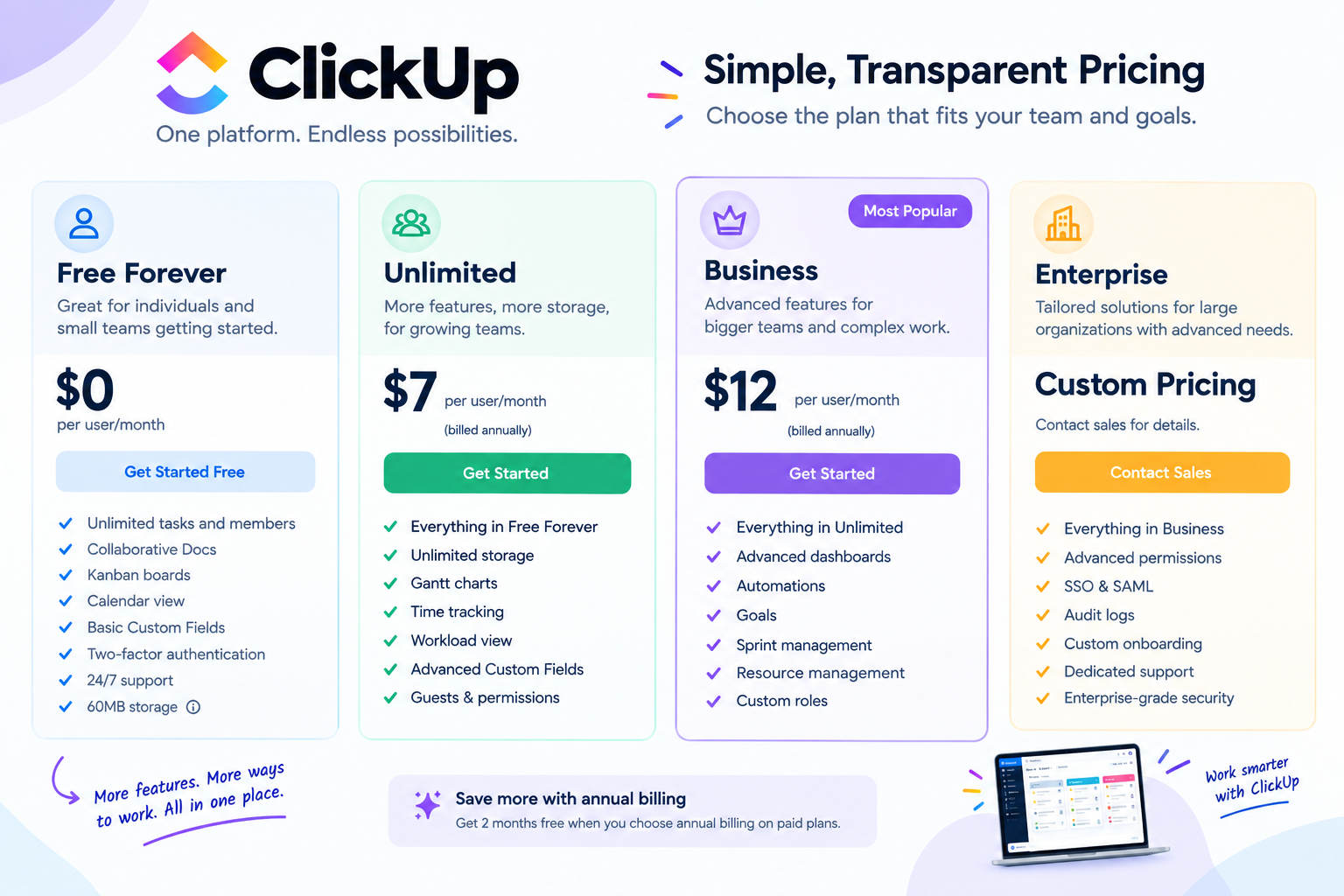
ClickUp has a
Free Forever option, so you can start using the platform without paying for a subscription.
For businesses that need more features, ClickUp also offers paid plans. Its publicly listed plans currently include
Free Forever, Unlimited, Business, and Enterprise.
| Plan |
Price |
Best for |
| Free Forever |
$0 |
Individuals and smaller teams getting started |
| Unlimited |
$7/user/month, billed yearly |
Small teams needing more features and storage |
| Business |
$12/user/month, billed yearly |
Growing and mid-sized teams |
| Enterprise |
Custom pricing |
Larger organizations with advanced requirements |
ClickUp also lists higher monthly prices when paid monthly:
Unlimited is $10/user/month and
Business is $19/user/month. Enterprise pricing is customized based on the organization's requirements.
What Does ClickUp's Free Plan Include?
The Free Forever plan is more capable than a basic trial. ClickUp says it includes unlimited tasks and members, collaborative Docs, Kanban boards, Sprint Management, Calendar view, basic Custom Fields, two-factor authentication, and 24/7 support, with storage limited to 60MB.
This makes the free plan useful for individuals and small teams that want to try ClickUp before committing to a paid plan.
Is ClickUp Worth Paying For?
That depends on how much of the platform you actually use.
If you only need a simple to-do list, ClickUp may feel like more software than you need. But if you're managing projects, teams, deadlines, documents, communication, reporting, and workflows, having those tools connected in one place can make the subscription worthwhile.
The
Unlimited plan may be a good starting point for small teams that need more storage and functionality, while
Business is aimed at teams that need more advanced reporting and automation. Larger organizations with complex security, permissions, and governance requirements may need Enterprise.
Pricing note: ClickUp pricing and plan features can change. The prices above reflect ClickUp's currently published pricing and annual billing where specified. Check the official pricing page before subscribing.
Which ClickUp Plan Should You Choose?
The best ClickUp plan depends on how complicated your work is and how many features your team actually needs.
Choose Free Forever if:
- You're an individual or very small team
- You're testing ClickUp for the first time
- You mainly need task management
- You want basic project organization
- You don't need large amounts of storage
Choose Unlimited if:
- You're running a small team
- You need more storage
- You want additional project management features
- You need tools such as Gantt charts and time tracking
- You're starting to outgrow the free plan
Choose Business if:
- Your team is growing
- You manage several projects at once
- You need advanced dashboards and reporting
- You rely heavily on automations
- You need more advanced collaboration and management tools
Choose Enterprise if:
- You manage a large organization
- You need advanced permissions and governance
- Your company requires enterprise-level security features
- You need custom roles, SSO, audit logs, or enterprise-scale functionality
- You want customized support and onboarding
You don't have to choose the most expensive plan simply because it has more features. Start with the plan that solves your current problems and upgrade when your business genuinely needs more.
How to Get Started With ClickUp
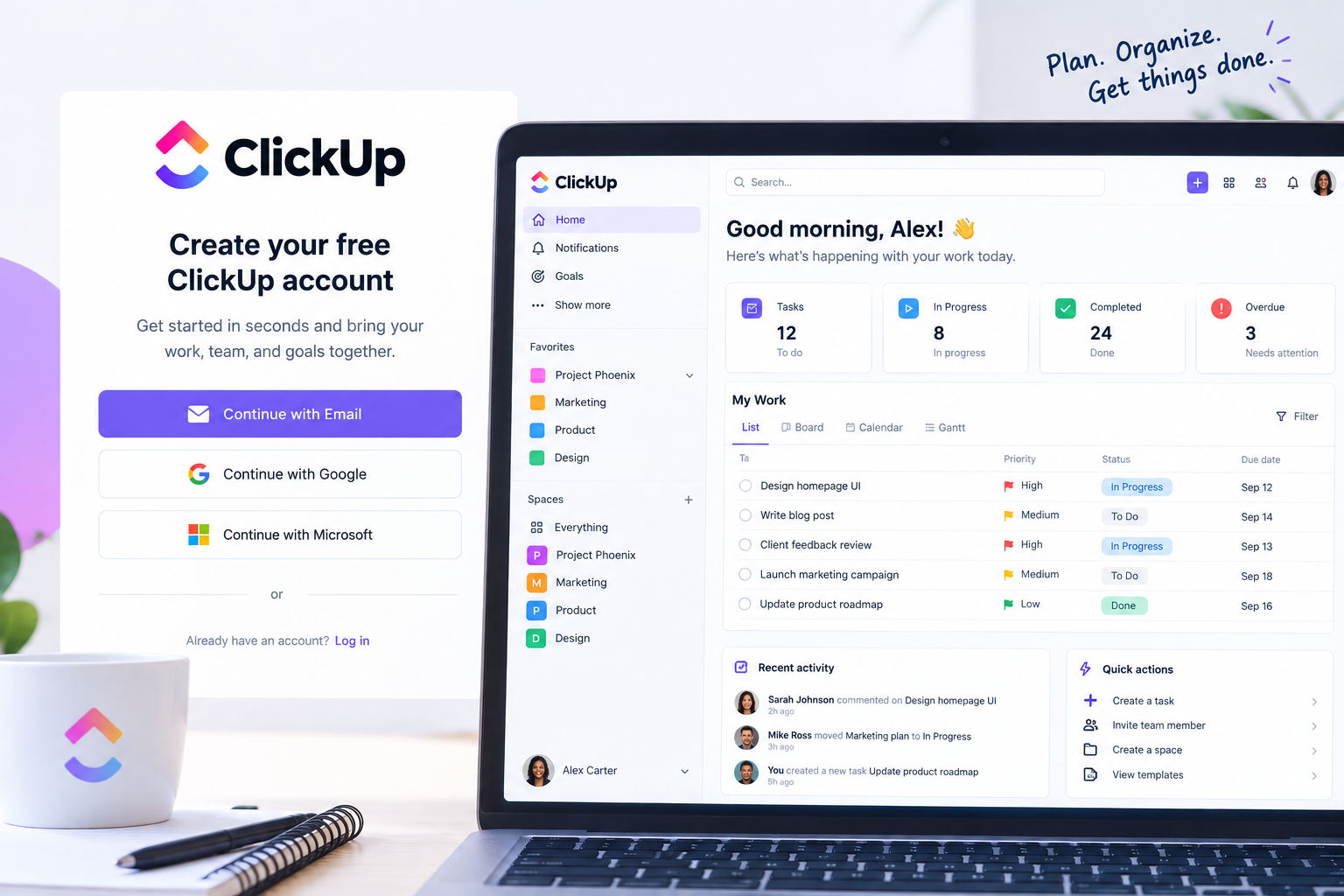
Getting started with ClickUp is fairly straightforward.
Step 1: Create your account
Visit the ClickUp website and create an account. A new account automatically gets a Free Forever Workspace, so you can start exploring without immediately paying for a subscription.
Step 2: Set up your Workspace
Add your Workspace name and basic information, then decide how you want to organize your work.
Step 3: Create your first project
Choose a project you're currently working on and add it to ClickUp.
Don't try to move everything into the platform at once. Starting with one project can make the learning process easier.
Step 4: Add tasks and deadlines
Break your project into smaller tasks and give each task a clear owner and deadline.
Step 5: Invite your team
If you're working with other people, invite them to your Workspace and assign tasks based on their responsibilities.
Step 6: Customize your workflow
Once you're comfortable with the basics, you can explore automations, dashboards, Docs, time tracking, AI tools, and other ClickUp features.
Pros and Cons of ClickUp
Like any productivity platform, ClickUp has advantages and disadvantages.
Pros
- Free plan available
- Wide range of project management features
- Multiple ways to view your work
- Tasks, Docs, Chat, and other tools in one platform
- Strong customization options
- Time tracking available
- AI features built into the platform
- Suitable for individuals and growing teams
Cons
- The number of features can feel overwhelming at first
- There can be a learning curve for new users
- Some advanced features are limited to higher plans
- Pricing and AI usage can become more complicated as requirements grow
Is ClickUp Good for Small Businesses?
Yes. ClickUp can be a useful option for small businesses that want to manage projects, tasks, deadlines, documents, and team communication in one place.
The Free Forever plan gives small teams an opportunity to test the platform without paying for a subscription. If the business needs more storage, advanced project management tools, reporting, or automation, it can move to a paid plan later.
The biggest consideration is whether your team is comfortable with a platform that offers a lot of customization. ClickUp can do a lot, but that flexibility means it may take some time to set everything up exactly the way you want.
Frequently Asked Questions About ClickUp
What is ClickUp mainly used for?
ClickUp is mainly used for project management, task management, team collaboration, documentation, productivity, reporting, and workflow management. It brings many work-related tools together in one platform.
Is ClickUp free?
Yes. ClickUp offers a Free Forever plan with no subscription cost. It includes features such as unlimited tasks and members, collaborative Docs, Kanban boards, Calendar view, and other productivity tools, although some features have usage limits.
Is ClickUp good for small businesses?
Yes. ClickUp can work well for small businesses that need to organize projects, assign tasks, manage deadlines, collaborate with team members, and monitor progress.
Does ClickUp have AI?
Yes. ClickUp includes AI capabilities through ClickUp Brain and other AI-powered tools. The specific AI features and usage limits depend on the plan and current ClickUp offering.
Can I use ClickUp on my phone?
Yes. ClickUp can be accessed through mobile apps as well as desktop and web versions, allowing you to manage work from different devices.
Is ClickUp easy to learn?
ClickUp is relatively easy to start with if you focus on the basics, such as creating tasks, assigning work, and setting deadlines. However, its large number of features and customization options can take some time to learn.
Final Thoughts
ClickUp is more than a simple task-management app. It brings together
project management, tasks, documents, communication, time tracking, dashboards, automation, and AI in one workspace.
For individuals and small teams, the Free Forever plan provides an easy way to get started. As your needs grow, paid plans add more storage, reporting, automation, and advanced management features.
The main thing to remember is that you don't need to use every ClickUp feature from day one. Start with the tools that solve your biggest problems, learn the platform gradually, and customize your Workspace as your workflow develops.
If you're looking for a flexible platform to organize your projects and bring more of your team's work into one place, ClickUp is worth exploring.
Want to see what ClickUp can do for your workflow? Visit the official ClickUp website and explore the platform or start with the Free Forever plan.