Running a business gets messy when customer information, emails, leads, sales conversations, marketing campaigns, and support requests are all kept in different places.
You might have customer details in a spreadsheet, emails in your inbox, leads in another tool, and sales information somewhere else.
HubSpot is designed to bring much of that work together.
It started with a strong focus on inbound marketing and CRM, but HubSpot has grown into a much broader customer platform covering marketing, sales, customer service, content, data, revenue, and AI.
But is HubSpot actually worth using in 2026?
In this guide, we'll look at what HubSpot is, how it works, its main features, current pricing, pros and cons, and whether it makes sense for your business.
What Is HubSpot?
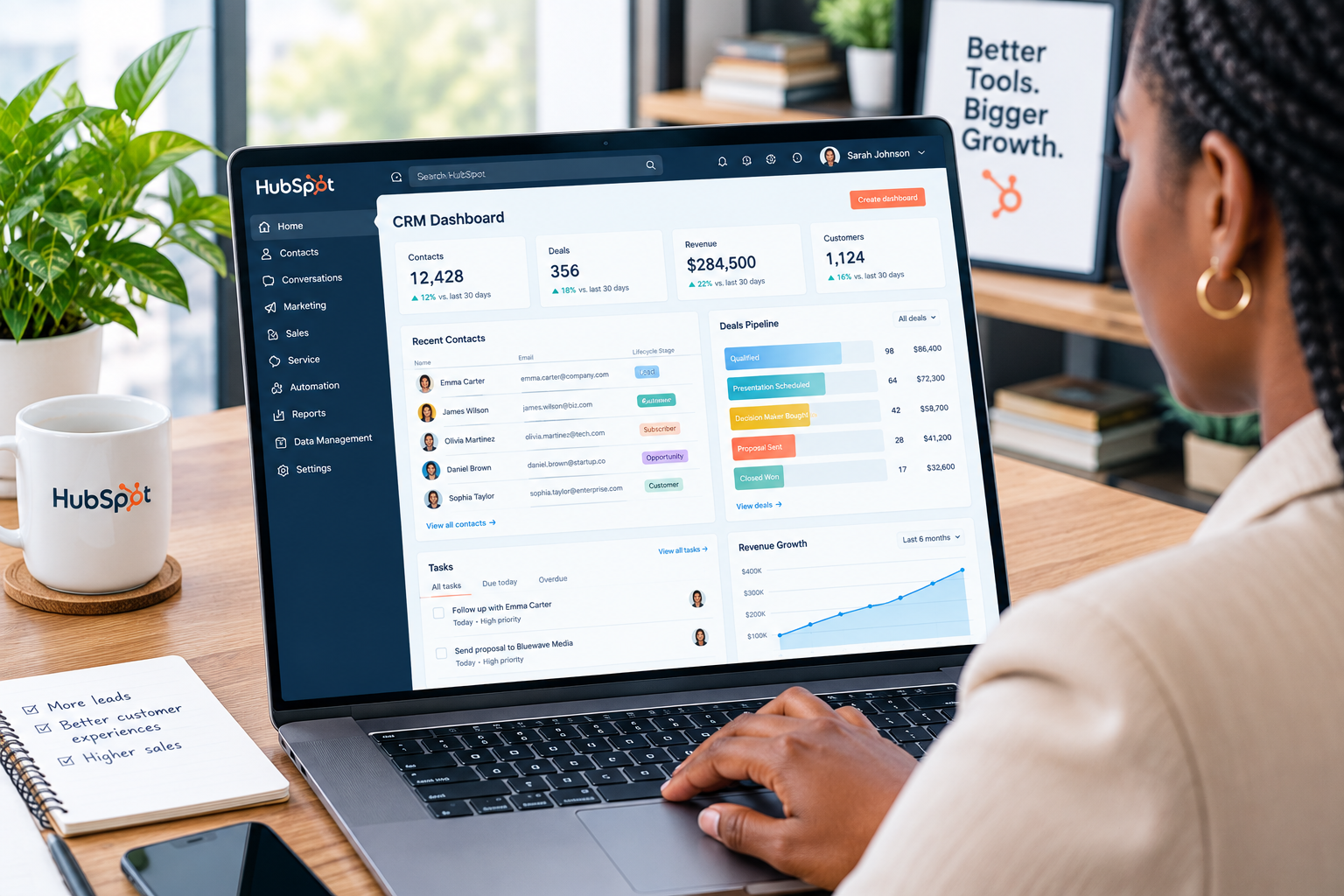
HubSpot is a customer platform that helps businesses manage relationships with prospects and customers.
At the center of the platform is HubSpot's Smart CRM. It stores customer information and connects that information with tools used by marketing, sales, customer service, and other teams.
Instead of treating each department as a separate system, HubSpot aims to give everyone access to the same customer information.
You can use HubSpot for things such as:
- Managing customer contacts
- Tracking leads
- Managing sales pipelines
- Sending marketing emails
- Creating landing pages
- Building websites
- Managing customer support
- Tracking deals
- Automating repetitive tasks
- Creating reports
- Managing content
- Using AI tools
HubSpot also offers free CRM tools, so you don't necessarily have to pay when you're getting started.
How Does HubSpot Work?
HubSpot can look complicated at first because it has so many tools. The basic idea, however, is fairly simple.
1. Store Your Customer Information
The CRM acts as the central place for your contacts, companies, deals, and customer interactions.
You can import existing contacts or add them manually.
HubSpot organizes information using objects, records, and properties, which makes it easier to keep customer information connected.
2. Track Leads and Customers
Once contacts are in your CRM, you can track where they are in the customer journey.
For example, someone might first visit your website, fill out a form, become a lead, speak with a salesperson, and eventually become a customer.
HubSpot can keep those interactions connected to the contact record.
3. Manage Your Sales Pipeline
Sales teams can use HubSpot to organize deals and see which stage each potential customer has reached.
Instead of trying to remember which prospects need a follow-up, you can use the CRM to keep track of sales activity.
4. Automate Repetitive Work
HubSpot includes automation tools that can handle certain repetitive tasks.
For example, you can automate follow-up emails, update contact information, assign tasks, or move records through a workflow.
The exact automation features available depend on the product and plan you're using.
5. Connect Marketing, Sales, and Service
This is one of HubSpot's biggest selling points.
Marketing can generate leads, sales can follow up with those leads, and customer service can continue working with the customer after the sale.
Because the information lives in the same platform, teams don't have to constantly move information between unrelated systems.

Key HubSpot Features
HubSpot has a long list of features, but these are some of the ones most businesses are likely to use.
1. Smart CRM
The CRM is the foundation of HubSpot.
You can manage contacts, companies, deals, interactions, and other customer information from one central system.
The free CRM provides core tools, while paid plans add more advanced functionality.
2. Marketing Tools
HubSpot's Marketing Hub is designed to help businesses attract visitors, generate leads, and manage marketing campaigns.
Depending on the plan, you can work with tools for:
- Marketing emails
- Forms
- Landing pages
- Social media
- Campaigns
- Marketing automation
- Lead management
- Reporting
This makes HubSpot useful for businesses that want their marketing activity connected directly to their CRM.
3. Sales Tools
Sales Hub provides tools for managing leads, deals, sales pipelines, and outreach.
Sales teams can use it to organize prospects, schedule activities, track conversations, and manage deals.
HubSpot also provides AI-powered sales features and agents on eligible plans.
4. Customer Service
HubSpot isn't only about getting customers.
Its Service Hub provides tools for helping customers after they buy.
Features can include help desk tools, ticketing, live chat, knowledge bases, customer feedback, and AI-powered customer service tools.
5. Website and Content Tools
HubSpot also provides tools for creating and managing online content.
You can create website pages, landing pages, blogs, and other content without necessarily using a separate platform for every task.
This can be especially useful for businesses that want their website and marketing activities connected to their CRM.
6. Reporting and Analytics
HubSpot provides reporting tools that help businesses understand what's happening across their marketing, sales, and customer service activities.
You can use reports to track things such as leads, deals, sales activity, campaign performance, and customer service metrics.
The depth of reporting depends on the plan.
7. Automation
Automation can save teams a lot of repetitive work.
Depending on your HubSpot products and subscription, you can build workflows that perform actions automatically when certain conditions are met.
For example, a new lead could be assigned to a salesperson, added to a workflow, or followed up with automatically.
8. AI Tools
AI is now a major part of HubSpot.
HubSpot's AI features include tools such as AI assistants and AI agents that can help with customer data, content, sales, and customer service.
Its Data Agent can research and analyze customer information, while its Customer Agent can help resolve customer inquiries and escalate issues when needed.
HubSpot also uses a credit system for certain AI agents and features, so businesses should pay attention to how credits are included and consumed on their plan.
9. Integrations
HubSpot doesn't have to work alone.
The platform connects with many third-party applications, allowing businesses to bring information from other tools into their workflows.
HubSpot currently says its ecosystem includes more than 2,000 apps and web services.
HubSpot Pricing: How Much Does HubSpot Cost?
HubSpot pricing can be confusing because the company offers several different products and plans.
There isn't one single "HubSpot price."
Your cost depends on which Hub you need, how many users you have, the number of contacts or seats involved, and the features you choose.
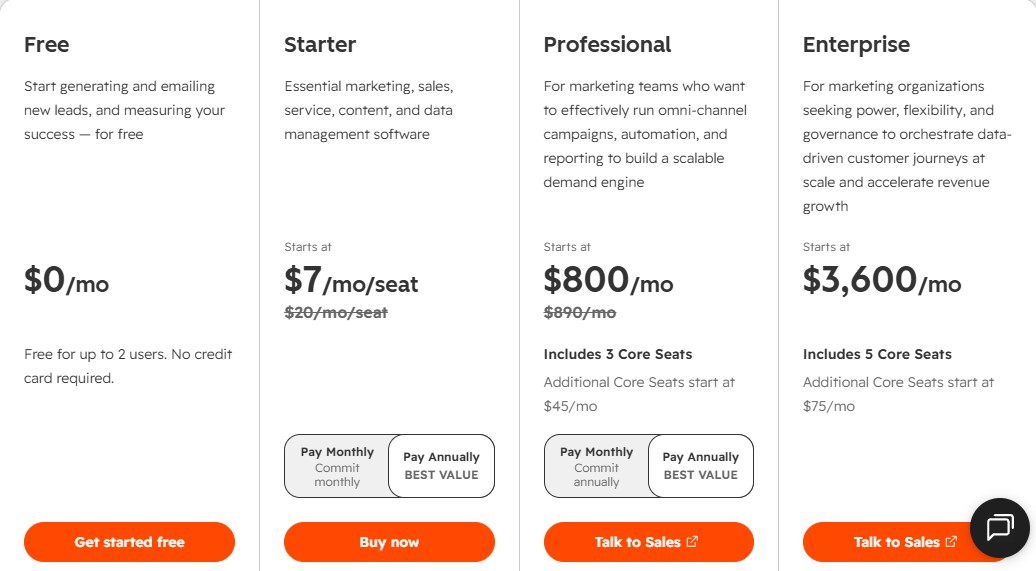
HubSpot currently offers free tools as well as Starter, Professional, and Enterprise options across its products.
Smart CRM Pricing
HubSpot's current Smart CRM pricing includes:
| Smart CRM Plan |
Official Price |
Best For |
| Free tools |
$0 |
Getting started with basic CRM features |
| Professional |
From $45/month per seat |
Businesses needing advanced CRM capabilities |
| Enterprise |
From $75/month per seat |
Larger organizations needing advanced customization |
*HubSpot's pricing page can display different prices depending on billing terms and promotions. Check the official pricing page before purchasing.
Marketing Hub Pricing
Marketing Hub is priced separately from the basic CRM.
HubSpot currently lists:
- Free: $0/month
- Starter: From $7/month per seat
- Professional: From $800/month
- Enterprise: From $3,600/month
Professional and Enterprise plans also have required one-time onboarding fees.
This is why you should not compare HubSpot to another CRM based only on the price of the free or Starter plan.
The cost can increase significantly when you need advanced marketing automation, larger contact tiers, additional seats, or enterprise features.
Pricing note: HubSpot pricing can change based on the product, billing period, number of seats, contacts, promotions, and other requirements. The prices above are current U.S. prices shown by HubSpot at the time of writing. Check the official HubSpot pricing page for the latest price before subscribing.
Which HubSpot Plan Should You Choose?
There's no reason to jump straight into an expensive HubSpot plan.
Free
The Free plan is a good starting point if you're testing HubSpot or simply need basic CRM functionality.
It's also useful for small businesses that aren't ready for advanced automation.
Starter
Starter makes more sense when your business has outgrown the basic free tools and you need additional features without moving into the much higher Professional pricing.
It's worth comparing the exact features you need before upgrading.
Professional
Professional is aimed at businesses that need deeper automation, reporting, and more advanced marketing, sales, or service functionality.
This is where HubSpot starts making more sense for established teams with more complex processes.
Enterprise
Enterprise is designed for larger organizations that need advanced customization, governance, permissions, reporting, and other enterprise-level capabilities.
It's considerably more expensive, so it isn't necessary for most small businesses.
Is HubSpot Worth Paying For?
That depends on how much of the platform you actually need.
If all you need is a simple place to store contacts and track a few deals, paying for an expensive CRM may not make sense.
But if you're running marketing campaigns, managing a sales team, automating customer journeys, supporting customers, and tracking everything in one place, HubSpot can become much more valuable.
The biggest advantage is having your customer information and business processes connected.
The biggest downside is cost.
HubSpot can become expensive as you add more advanced products, users, contacts, and features.
Pros and Cons of HubSpot
Pros
- Free CRM option
- Strong customer relationship management tools
- Marketing, sales, and service tools in one platform
- Powerful automation
- Good reporting and analytics
- Large integration ecosystem
- Website and content tools
- AI-powered features
- Useful for businesses of different sizes
- Can grow with a business
Cons
- Advanced plans can become expensive
- Pricing can be difficult to understand
- Some powerful features are locked behind higher plans
- Additional seats and contacts can increase costs
- The platform can feel overwhelming for very small businesses
- Some advanced AI features use HubSpot Credits
Is HubSpot Good for Small Businesses?
Yes, but it depends on the business.
A small company can start with HubSpot's free CRM and gradually add paid tools as its needs grow.
For a small business that only needs contact management, a simple CRM may be enough.
However, if the business wants to combine marketing, sales, customer service, automation, and reporting in one platform, HubSpot becomes much more interesting.
The key is not to buy more than you need.
HubSpot vs a Simple CRM
One thing that makes HubSpot different from many basic CRM tools is its wider range of products.
A simple CRM might focus mostly on contacts, deals, and sales pipelines.
HubSpot can cover those areas while also providing marketing, customer service, content, data, revenue, automation, and AI tools.
That's useful if you want one connected system.
But if you only need a basic CRM, HubSpot's larger ecosystem may be more than you need.

How to Get Started With HubSpot
Getting started with HubSpot doesn't have to be complicated.
Step 1: Create Your Account
Start with HubSpot's free tools if you're not sure whether the platform is right for you.
Step 2: Set Up Your CRM
Add your company information and decide how you want to organize contacts, companies, and deals.
Step 3: Import Your Contacts
If you're moving from another CRM or spreadsheet, import your existing customer information.
HubSpot provides tools to help with contact migration.
Step 4: Connect Your Email
Connecting your business email can help you keep customer conversations and sales activity organized.
Step 5: Create Your Sales Pipeline
Set up deal stages that match the way your business actually sells.
Don't copy someone else's process just because it looks good.
Step 6: Add the Tools You Need
Start small.
You might only need the CRM and sales tools at first. Later, you can add marketing, service, content, or automation features if they become useful.
Step 7: Track Your Results
Once everything is running, use HubSpot's reports and dashboards to see what's working and where your sales or marketing process needs improvement.
Frequently Asked Questions About HubSpot
What is HubSpot mainly used for?
HubSpot is mainly used to manage customer relationships, marketing, sales, customer service, content, and business data from one connected platform.
Is HubSpot free?
Yes. HubSpot offers free CRM and other free tools. Paid plans are available when you need more advanced features.
Is HubSpot good for small businesses?
Yes. Small businesses can start with the free CRM and upgrade when they need more advanced marketing, sales, service, or automation tools.
Does HubSpot have AI?
Yes. HubSpot now includes a range of AI-powered tools and agents for tasks involving customer data, marketing, sales, and customer service.
Is HubSpot a CRM?
Yes. CRM is at the center of the HubSpot platform. Its Smart CRM connects customer data with the company's other products.
Is HubSpot easy to learn?
The basic CRM is relatively approachable, but HubSpot's larger collection of tools can take time to learn. The more advanced your setup becomes, the more time you'll likely need to spend learning the platform.
Final Thoughts
HubSpot is much more than a CRM.
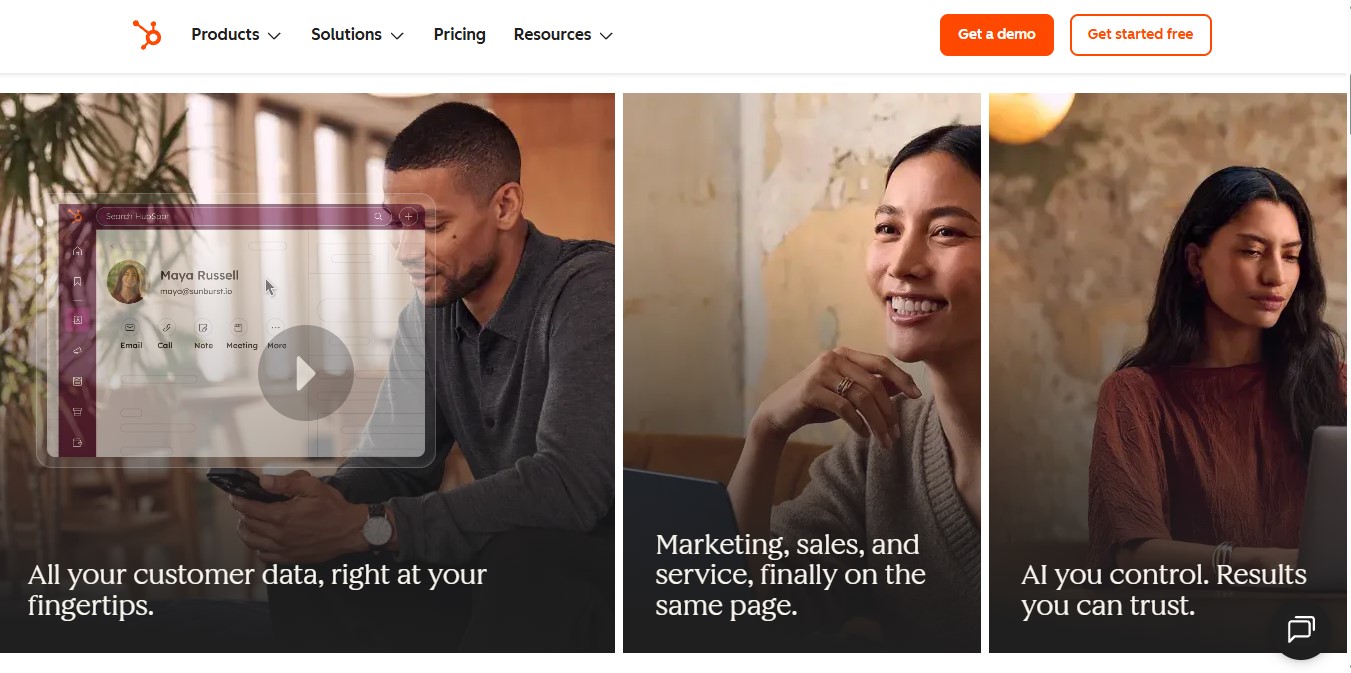
It's a broad customer platform designed to connect marketing, sales, customer service, content, data, and other business activities around a shared customer record.
That can be extremely useful when a business is growing and different teams need access to the same information.
The free tools also make it possible to test the platform without immediately committing to a paid subscription.
The main thing to watch is cost. HubSpot's more advanced features can become expensive, so it's important to understand exactly what you need before upgrading.
If you want a platform that can grow from basic CRM management into a much broader marketing, sales, and customer service system, HubSpot is worth considering in 2026.
If you're tired of keeping customer information, sales activity, marketing, and support in separate tools, HubSpot can bring more of that work together in one platform.
Start with HubSpot's free CRM and explore the tools available for your business.
Get Started With HubSpot