Running a business means dealing with a lot of numbers. You have invoices to send, expenses to track, customers to follow up with, bills to pay, and financial reports to check.
Doing all of this manually can quickly become stressful, especially as the business grows.
Zoho Books is accounting software designed to make these tasks easier. It brings invoicing, expenses, banking, inventory, projects, reports, and other accounting activities into one place.
But is
Zoho Books right for your business?
In this guide, we'll look at what
Zoho Books is, how it works, its main features, pricing, pros and cons, and how to get started.

What Is Zoho Books?
Zoho Books is cloud-based accounting software that helps businesses manage their finances and everyday accounting tasks.
Instead of keeping your invoices in one place, expenses in another spreadsheet, and financial reports somewhere else,
Zoho Books puts these activities together in one system.
You can use it to create invoices, record expenses, manage bills, reconcile bank transactions, track inventory, manage projects, and generate financial reports.
It can also connect with other business applications, making it easier to keep different parts of your business connected.
For small businesses and growing companies, having these tools in one place can make everyday accounting much easier to manage.
How Does Zoho Books Work?
Zoho Books works through a fairly straightforward process.
After creating an account, you set up your business information and choose the accounting settings that apply to your business. You can then add customers, vendors, products, services, bank accounts, and other information.
From there, your normal business transactions can be recorded inside the platform.
For example, you could:
- Create a quote for a customer.
- Convert the quote into an invoice.
- Send the invoice to the customer.
- Record the payment when it arrives.
- Reconcile the transaction with your bank account.
- Include the transaction in your financial reports.
The same idea applies to expenses and bills. Instead of simply recording numbers in a spreadsheet,
Zoho Books keeps the transactions connected to the rest of your accounting information.
This can make it easier to see where your money is coming from and where it is going.
Zoho Books Features
Zoho Books comes with a wide range of accounting features. The exact features available depend on the plan and region you're using.
1. Invoicing
Invoicing is one of the main reasons businesses use accounting software.
With
Zoho Books, you can create professional invoices, customize invoice templates, send invoices to customers, and set up recurring invoices.
You can also create quotes and convert them into invoices when a customer accepts your offer.
For businesses that send invoices regularly, this can save a lot of time.
2. Expense Tracking
Keeping track of expenses is important if you want to understand how profitable your business really is.
Zoho Books lets you record business expenses and organize your spending. You can also attach documents such as receipts to transactions.
This gives you a clearer record of what your business is spending money on.
3. Bank Reconciliation
Bank reconciliation can be one of the more time-consuming accounting tasks when done manually.
Zoho Books allows businesses to connect bank feeds and reconcile transactions with their accounting records.
This helps you identify transactions that have been recorded correctly and spot differences that may need attention.
4. Bills and Payables
Zoho Books isn't only about money coming into your business. It can also help you manage money going out.
You can record vendor bills, track payments, manage expenses, and keep an eye on what your business owes.
This is particularly useful when a business has several suppliers or recurring expenses.
5. Inventory Management
If your business sells physical products, inventory management becomes important.
Zoho Books can help you keep track of items, quantities, costs, selling prices, and stock levels.
Higher plans include more advanced inventory capabilities, including warehouse management, serial-number tracking, batch tracking, and connections with online sales channels.
6. Project and Timesheet Management
Zoho Books also includes tools for businesses that charge customers for project work.
You can create projects, record time spent on work, track billable hours, and use the information when invoicing customers.
This can be useful for consultants, agencies, freelancers, and service-based businesses.
7. Financial Reports
You don't want accounting software to simply store numbers. You also need to understand what those numbers mean.
Zoho Books provides financial reports covering areas such as profit and loss, balance sheets, cash flow, sales, expenses, and other business activity.
These reports can help business owners get a clearer picture of their financial position.
8. Automation
Zoho Books can automate some repetitive accounting tasks.
For example, businesses can set up recurring invoices, payment reminders, recurring expenses, approval workflows, and other automated processes.
Automation can be particularly helpful once the number of transactions starts increasing.
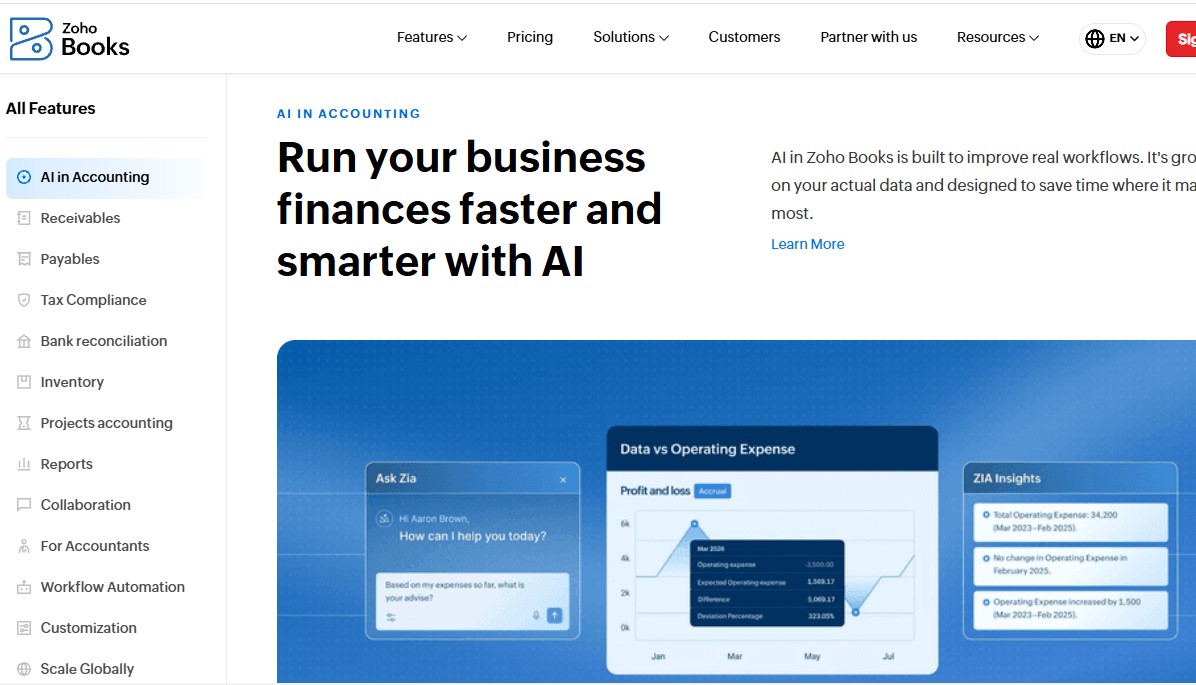
9. AI Features
Zoho Books also includes AI capabilities through
Zia, Zoho's built-in AI assistant.
Zia can help users ask questions about financial information, complete certain tasks using natural-language requests, identify unusual changes in financial data, and generate insights from reports.
Zoho also highlights AI features such as anomaly detection, financial forecasting, report insights, invoice assistance, and AI-powered workflows.
10. Mobile and Desktop Apps
You don't have to stay in front of a browser to use
Zoho Books.
Zoho Books provides mobile and desktop options, allowing business owners and accounting teams to access their financial information from different devices.
This can be useful when you're away from the office but still need to send an invoice, check a transaction, or view a report.
Zoho Books Pricing
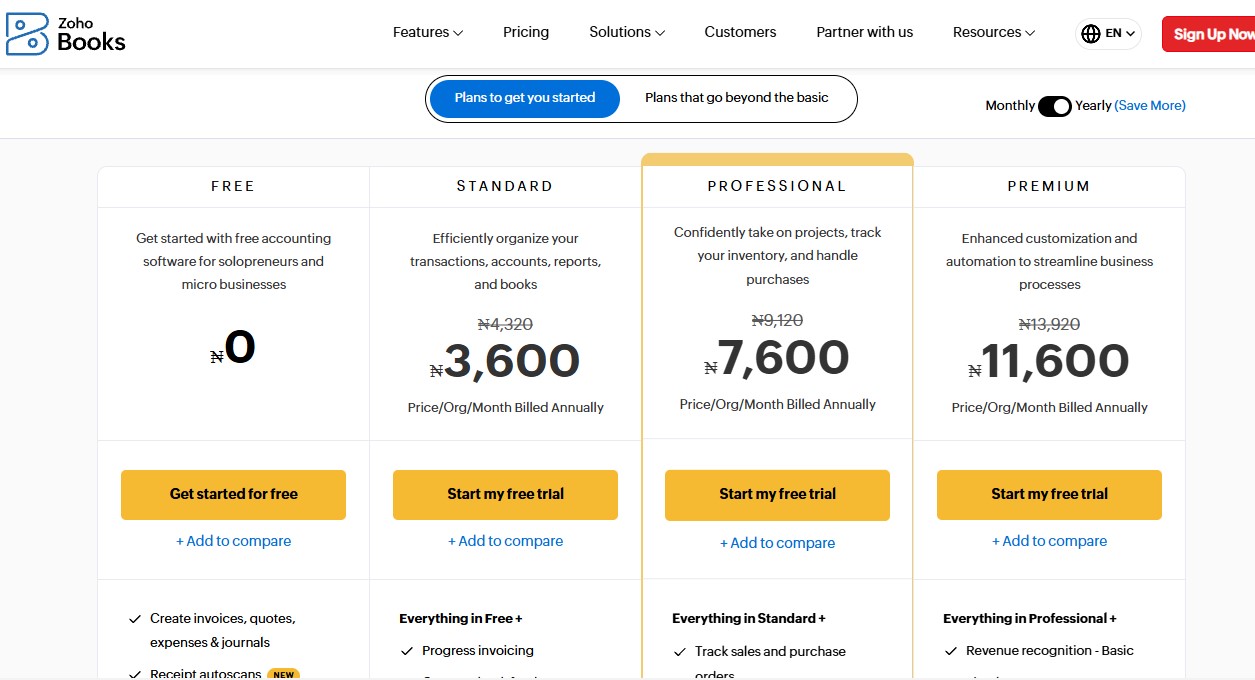
Zoho Books offers several plans, and pricing can vary by country or region.
For reference, the current U.S. pricing listed by Zoho is:
| Plan |
Monthly Price |
Annual Billing* |
Users |
| Free |
$0/month |
$0/month |
1 user + 1 accountant |
| Standard |
$20/month |
$15/month |
3 users |
| Professional |
$50/month |
$40/month |
5 users |
| Premium |
$70/month |
$60/month |
10 users |
| Elite |
$150/month |
$120/month |
10 users |
| Ultimate |
$275/month |
$240/month |
15 users |
*Annual billing figures are the monthly-equivalent price when billed annually. Prices are exclusive of local taxes.
Zoho Books also offers a 14-day free trial of its paid plans.
Because
Zoho Books has different regional editions, it's best to check the official pricing page for the country where your business operates before subscribing.
Which Zoho Books Plan Should You Choose?
The right plan depends on how complicated your business accounting is.
If you're a freelancer, solopreneur, or very small business with basic accounting needs, the
Free plan may be enough to get started.
The
Standard plan makes more sense when you need additional users, bank feeds, custom fields, custom reports, and other accounting features.
If your business handles inventory, projects, purchase orders, multiple currencies, or more advanced workflows, the
Professional plan gives you more room to work.
The
Premium plan adds more customization, budgeting, forecasting, fixed-asset management, and automation features.
The
Elite plan is designed for businesses that need more advanced inventory management, while
Ultimate adds deeper analytics and business intelligence tools.
You don't necessarily need the most expensive plan. Start with the features your business actually needs and move up when your requirements change.
Pros and Cons of Zoho Books
Like any accounting software,
Zoho Books has advantages and limitations.
Pros
- Free plan available
- Wide range of accounting features
- Professional invoicing tools
- Expense and bill tracking
- Bank reconciliation
- Inventory management
- Project and timesheet management
- Automation tools
- AI-powered features
- Mobile and desktop access
- Multiple pricing tiers
- Integrates with other business applications
Cons
- Some advanced features are only available on higher plans
- Pricing varies by region
- Businesses with very simple needs may not use many of its features
- Advanced accounting setups may require some learning
- The large number of features can feel like a lot when you're just getting started
Who Is Zoho Books Best For?
Zoho Books can work for different types of businesses.
It can be useful for:
- Freelancers
- Small businesses
- Online businesses
- Service businesses
- Consultants
- Agencies
- Retail businesses
- Businesses that manage inventory
- Growing companies
- Accountants and bookkeepers
It's particularly useful for businesses that want more than basic invoicing and need tools for expenses, banking, inventory, projects, reporting, and automation.
How to Get Started With Zoho Books
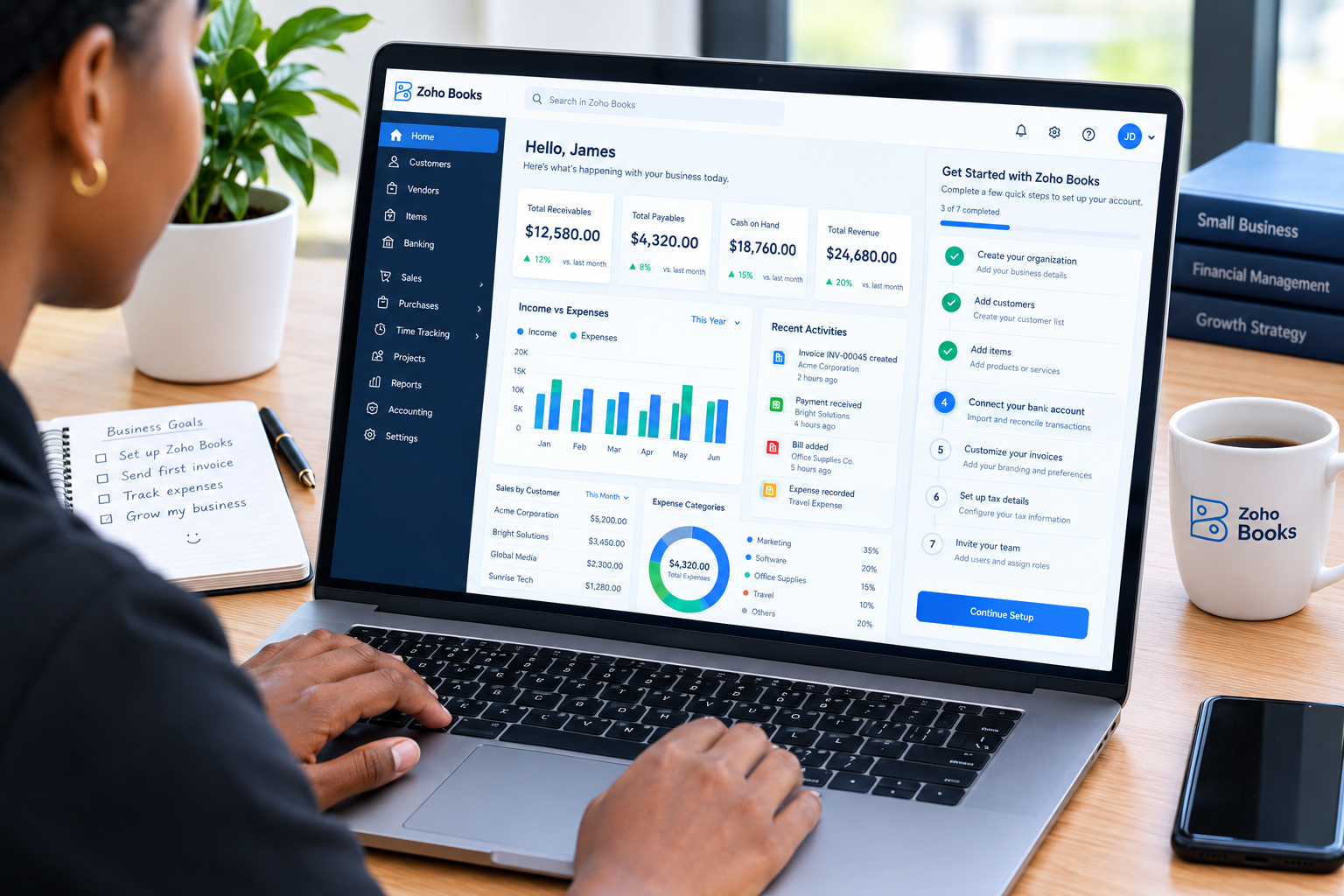
Getting started doesn't have to be complicated.
Step 1: Create Your Account
Visit
Zoho Books and create an account. You can start with the free plan or begin a trial of a paid plan.
Step 2: Add Your Business Information
Enter your business name, contact details, currency, tax information, and other basic details.
Step 3: Set Up Your Customers and Vendors
Add the customers you invoice and the vendors or suppliers you buy from.
Step 4: Connect Your Bank Accounts
If supported by your bank and plan, connect your bank feeds so you can import and reconcile transactions more easily.
Step 5: Customize Your Invoices
Add your business details and customize your invoice templates so they match your brand.
Step 6: Start Recording Transactions
Begin recording invoices, expenses, bills, payments, and other transactions.
Step 7: Check Your Reports
Once you have enough data in the system, review your financial reports regularly.
This is where
Zoho Books becomes more useful than simply keeping a spreadsheet of income and expenses. You can use the information to get a better understanding of your business finances.
Is Zoho Books Worth Using?
Zoho Books offers a broad set of accounting tools without forcing every business into the same setup.
Its free plan makes it possible for smaller businesses to get started without immediately paying for accounting software. As the business grows, there are several paid plans with additional features.
Another thing worth considering is the Zoho ecosystem. If you already use other Zoho products, connecting your accounting system with the rest of your business tools can make your workflow easier.
However, the best way to judge
Zoho Books is to look at your own accounting needs.
If you only need basic invoicing, you may not need all of its features. If you're managing inventory, projects, expenses, customers, and multiple financial processes, a more complete accounting platform may make more sense.
Frequently Asked Questions
Is Zoho Books free?
Yes.
Zoho Books has a free plan. The available features and limits depend on the country or regional edition you're using.
Does Zoho Books have a mobile app?
Yes.
Zoho Books is available across web, mobile, and desktop platforms.
Does Zoho Books support inventory?
Yes. Inventory management is available, with more advanced inventory features included in higher-tier plans.
Can Zoho Books create invoices?
Yes. You can create, customize, and send invoices and quotes through
Zoho Books.
Does Zoho Books offer a free trial?
Yes.
Zoho Books provides a 14-day free trial for its paid plans.
Can Zoho Books connect to a bank account?
Yes.
Zoho Books includes banking tools that allow supported users to connect bank feeds, import transactions, and reconcile their accounts.
Final Thoughts
Zoho Books is more than an invoicing tool. It gives businesses a central place to manage invoices, expenses, bills, banking, inventory, projects, reports, and other accounting activities.
Its biggest advantage is the range of tools available across different plans. A small business can start with the free plan and move to a paid plan when it needs more features.
The main thing to remember is that
Zoho Books pricing and available features can vary by region. So before subscribing, check the official pricing page for your market.
Ready to Simplify Your Business Accounting?
Managing invoices, expenses, bills, and financial reports doesn't have to be complicated.
Zoho Books gives you the tools to manage your accounting in one place, whether you're just starting out or running a growing business.
You can start with the free plan or try a paid plan to explore more features.
Get Started With Zoho Books