Managing business finances can become difficult when you are dealing with invoices, expenses, bank transactions, payroll, taxes, and financial reports at the same time. This is where accounting software like QuickBooks can make things much easier.
QuickBooks is an accounting and business management platform from Intuit that helps businesses organize their finances, automate bookkeeping tasks, send invoices, track expenses, manage cash flow, and generate financial reports.
But is QuickBooks worth paying for? What features does it offer, how much does it cost, and which plan should you choose?
In this guide, we’ll explain
what QuickBooks is, how it works, its main features, pricing, pros and cons, and how to get started.

What Is QuickBooks?
QuickBooks is accounting software designed to help businesses manage their financial activities in one place.
With QuickBooks Online, you can connect your business bank accounts, record income and expenses, create invoices, track bills, monitor cash flow, and generate reports without having to manage everything manually.
The platform is designed for different types of businesses, from freelancers and small businesses to growing companies with more complex accounting needs.
QuickBooks also connects with other business tools, allowing you to bring more of your financial and operational information into one system.
How Does QuickBooks Work?
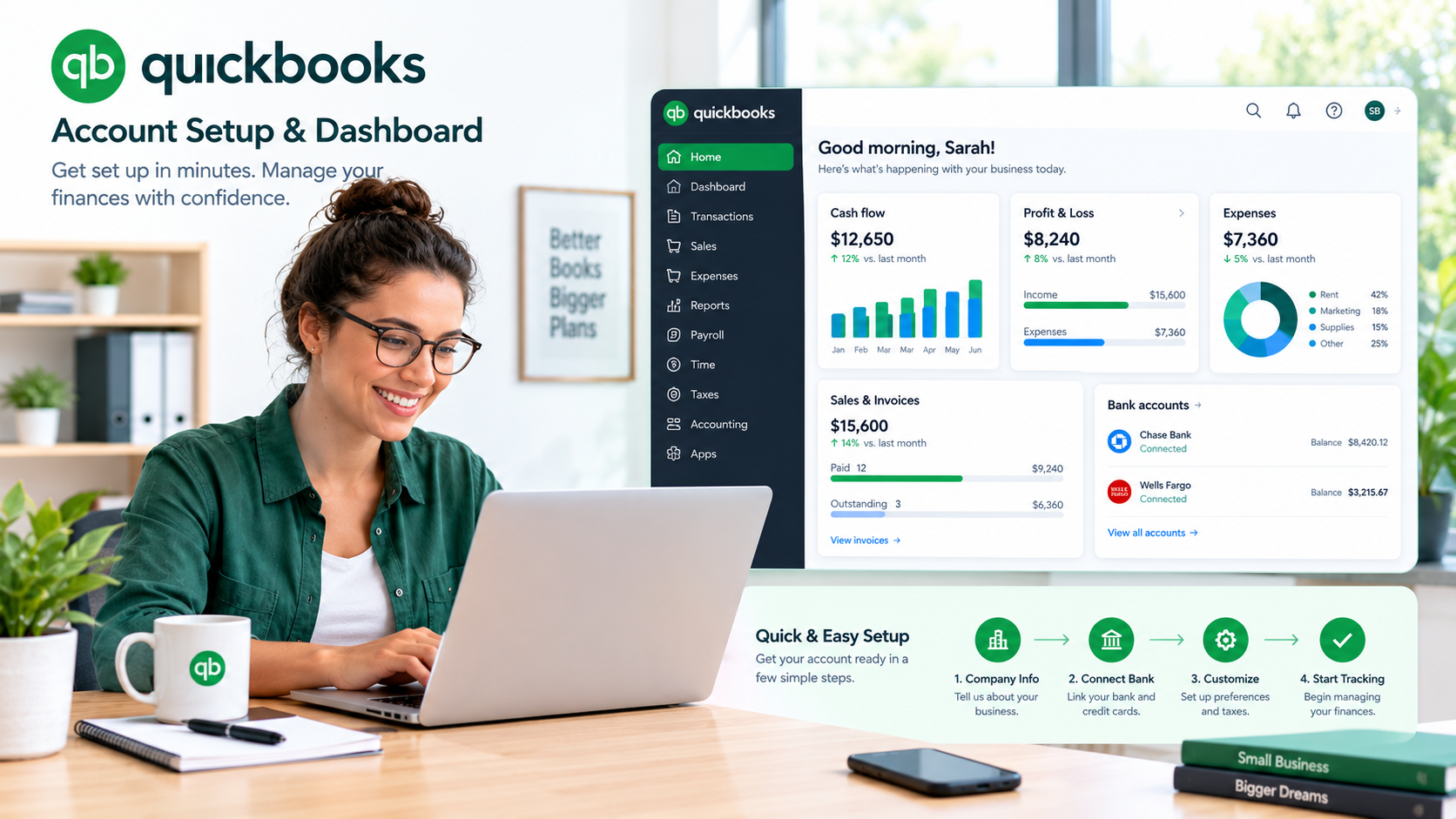
QuickBooks works by bringing your financial information into a central dashboard and helping you organize and automate routine accounting tasks.
Here is a simple look at how it works:
1. Create Your QuickBooks Account
You start by choosing a QuickBooks plan and creating your account. During setup, you provide basic information about your business and accounting needs.
QuickBooks then guides you through the initial setup so you can start adding your financial information.
2. Connect Your Bank Accounts
You can connect eligible business bank accounts and credit cards to QuickBooks.
Once connected, transactions can be imported into your QuickBooks account, making it easier to categorize income and expenses and keep your books updated.
3. Record Income and Expenses
QuickBooks helps you organize money coming into and going out of your business.
You can categorize transactions, track expenses, record sales, and keep important financial information organized.
This can save time compared with maintaining spreadsheets and entering every transaction manually.
4. Send Invoices and Get Paid
QuickBooks allows you to create and send professional invoices to customers.
Depending on the products and services you use, customers can also pay invoices online, helping you keep track of outstanding payments and improve your cash flow.
5. Review Reports
QuickBooks turns your accounting data into financial reports that can help you understand how your business is performing.
You can use reports to review income, expenses, profit and loss, cash flow, and other important financial information.
Key QuickBooks Features
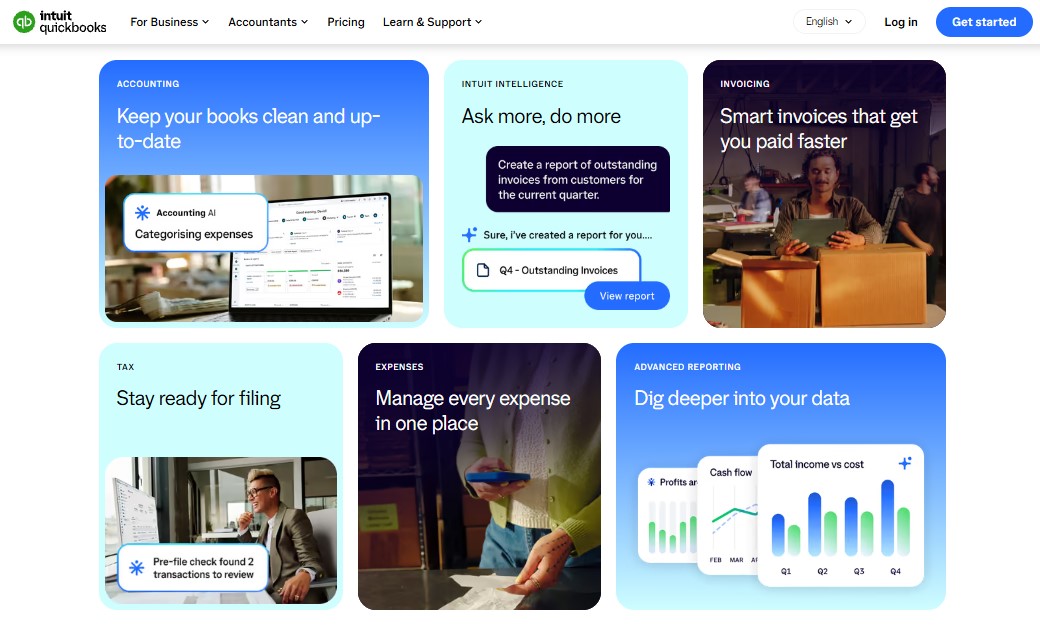
QuickBooks has a wide range of features, but these are some of the most useful for small and growing businesses.
1. Invoicing
QuickBooks makes it easier to create, customize, and send invoices.
You can keep track of invoices that are paid, unpaid, or overdue, which gives you a clearer picture of the money your business is expecting.
2. Expense Tracking
Instead of keeping receipts and expenses in different places, you can organize them inside QuickBooks.
The software helps you categorize business expenses and keep your records organized for reporting and tax preparation.
3. Bank Connections and Reconciliation
QuickBooks can connect with eligible financial accounts and import transactions automatically.
You can then review and categorize transactions and reconcile your accounts to make sure your books match your financial records.
QuickBooks has also introduced AI-powered reconciliation features designed to help speed up parts of the reconciliation process while keeping the user in control.
4. Financial Reports
Financial reports are one of the most important parts of accounting software.
QuickBooks provides reports that can help you understand your business finances, including income, expenses, profit and loss, and cash flow.
These reports can help business owners make decisions based on their financial performance rather than guesswork.
5. Bill Management
QuickBooks can help businesses organize and manage bills.
Instead of keeping track of bills through emails, spreadsheets, or paper documents, you can manage them within your accounting workflow.
6. Payroll and Workforce Tools
QuickBooks offers payroll and workforce products that can connect with your accounting information.
Depending on the payroll product you choose, you can manage employee pay, tax-related payroll tasks, time tracking, and other workforce activities.
Payroll is generally an additional product or service rather than something included automatically with every QuickBooks Online accounting plan.
7. Inventory Management
For businesses that sell physical products, inventory management can be important.
QuickBooks offers inventory-related tools that can help eligible businesses track products, monitor stock levels, and manage purchase orders.
The availability of inventory features depends on the plan and product you use.
8. Project and Job Costing
QuickBooks can also help businesses understand how much they are spending on projects and whether those projects are profitable.
This can be particularly useful for businesses that work on client projects or jobs where costs need to be tracked against revenue.
9. Integrations
QuickBooks connects with hundreds of third-party applications.
These integrations can help businesses connect accounting with areas such as payments, ecommerce, payroll, time tracking, inventory, and other business processes.
10. AI and Intuit Intelligence
One of the biggest developments in QuickBooks is the growing use of artificial intelligence.
QuickBooks now uses
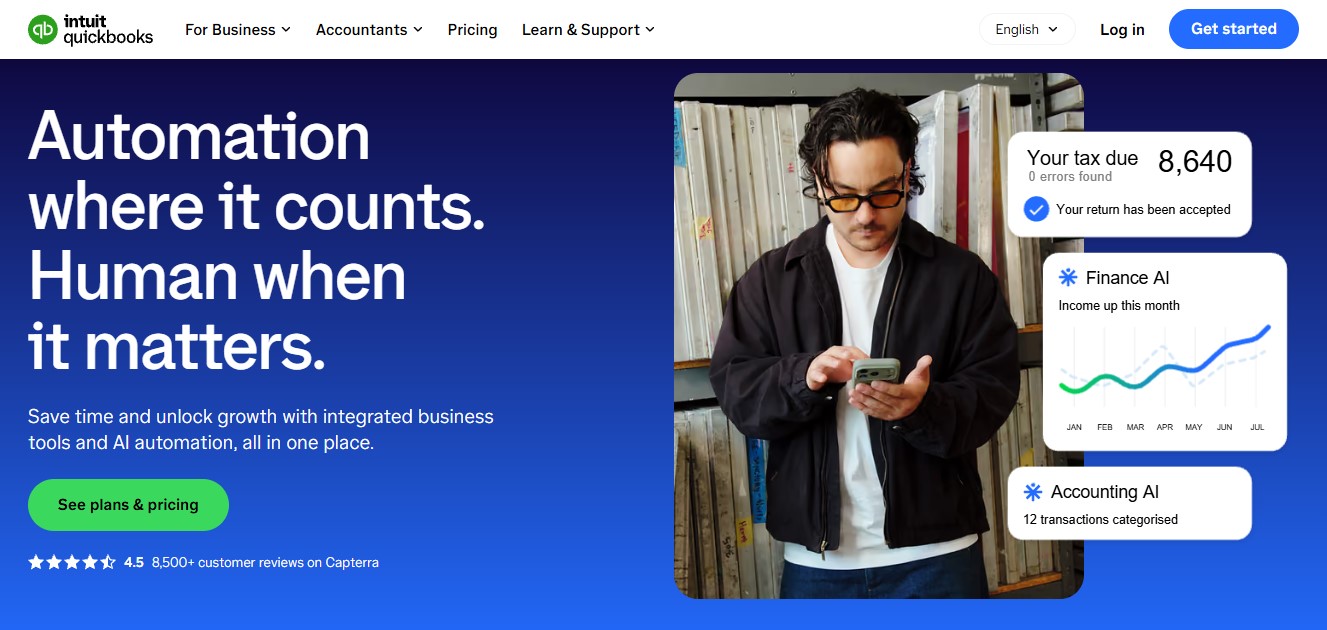
Intuit Intelligence and other AI-powered tools to help automate accounting tasks, surface financial insights, categorize transactions, and assist with business decisions.
AI features can vary depending on your QuickBooks plan and the specific product you use, so it is worth checking the current plan details before subscribing.
QuickBooks Pricing
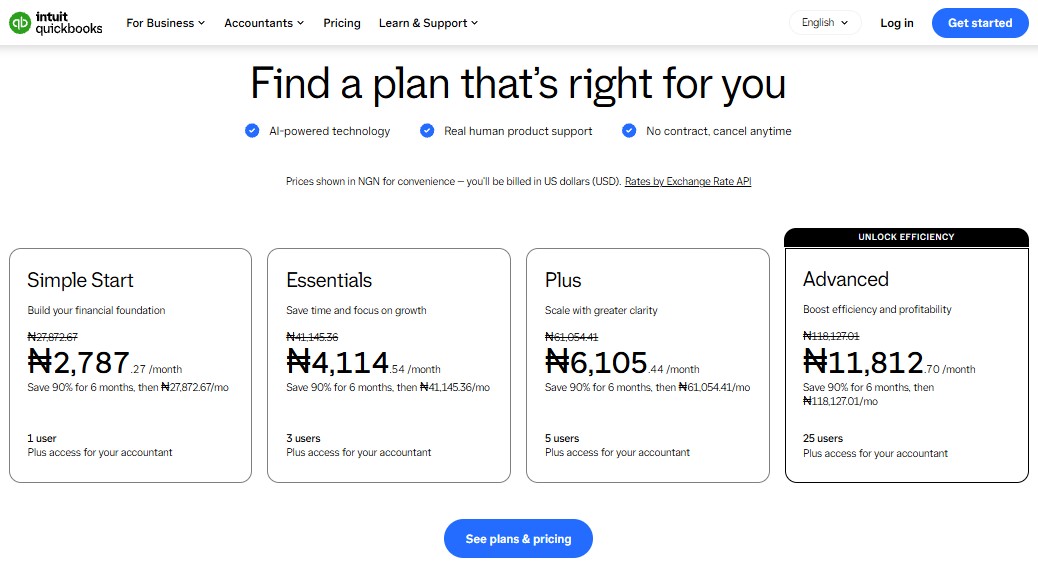
QuickBooks Online pricing can change, and prices may also vary depending on your country, promotions, billing period, and the specific QuickBooks product you choose.
For the U.S. market, the current regular monthly prices shown by QuickBooks are:
| QuickBooks Plan |
Regular Price |
Best For |
| Simple Start |
$38/month |
Individuals and small businesses |
| Essentials |
$75/month |
Businesses needing additional users and bill management |
| Plus |
$115/month |
Businesses needing inventory and project features |
| Advanced |
$275/month |
Growing businesses with more advanced needs |
QuickBooks is also currently advertising promotional pricing on its official U.S. site, including
50% off for three months on selected plans. Promotional offers can change, so check the official pricing page before subscribing.
QuickBooks also offers a free trial for eligible plans, although trial terms and promotional offers can change.
Pricing note: The prices above are U.S. prices and should not be treated as universal. QuickBooks pricing, available plans, features, taxes, and promotions can vary by country.
Which QuickBooks Plan Should You Choose?
Choosing a QuickBooks plan becomes easier when you focus on what your business actually needs.
Simple Start
Simple Start can be a good starting point for freelancers, self-employed professionals, and small businesses that mainly need basic accounting, income and expense tracking, invoicing, and financial reports.
If you are just moving away from spreadsheets, you probably don't need the most expensive plan.
Essentials
Essentials is more suitable for businesses that need additional users and more accounting capabilities, including bill management and time tracking.
It can make sense when your business has more financial activity and you need other people to work with the books.
Plus
Plus is designed for businesses that need more advanced capabilities, such as inventory and project profitability tracking.
If your business sells products or handles multiple projects, Plus may be a better fit than the entry-level plans.
Advanced
Advanced is aimed at businesses with more complex accounting and operational requirements.
It includes more advanced features, reporting, customization, and support options for businesses that have outgrown simpler accounting plans.
The best approach is to choose the lowest plan that comfortably covers your current needs and upgrade when your business actually requires additional capabilities.
Is QuickBooks Worth Paying For?
QuickBooks can be worth paying for if you want to spend less time on manual bookkeeping and have your business finances organized in one place.
The biggest benefit is convenience. Instead of maintaining separate spreadsheets for invoices, expenses, bank transactions, and reports, you can manage many of these activities through one platform.
The value becomes even clearer as a business grows and financial tasks become more difficult to manage manually.
However, QuickBooks may not be necessary for someone with very simple financial needs. If you only have a few transactions each month, a basic accounting solution may be enough.
Pros and Cons of QuickBooks
Pros
- Easy access to business financial information
- Online accounting from anywhere
- Invoicing and payment tools
- Bank account connections
- Expense tracking
- Financial reporting
- Payroll and workforce products
- Inventory and project tools on eligible plans
- Large ecosystem of integrations
- Growing AI-powered capabilities
- Scales with growing businesses
Cons
- Pricing can become expensive as you add features and services
- Payroll and some other capabilities cost extra
- Advanced features may be unnecessary for very small businesses
- Some features vary by plan or country
- New users may need time to learn the platform
Is QuickBooks Good for Small Businesses?
Yes, QuickBooks can be a strong option for small businesses that want dedicated accounting software rather than relying entirely on spreadsheets.
A small business can start with basic accounting features and move to a higher plan as its financial and operational needs become more complicated.
It can be particularly useful for businesses that need invoicing, expense tracking, bank connections, financial reports, and integrations with other business tools.
However, you should compare the available plans before subscribing because not every small business needs all of QuickBooks' features.
How to Get Started With QuickBooks
Getting started with QuickBooks is relatively straightforward.
Step 1: Choose Your Plan
Start by looking at the available QuickBooks Online plans and comparing their features.
Don't choose a plan simply because it has more features. Pick one that matches your current business needs.
Step 2: Create Your Account
Create your QuickBooks account and enter your basic business information.
Step 3: Connect Your Financial Accounts
Connect your eligible bank accounts and credit cards so QuickBooks can import your transactions.
Step 4: Set Up Your Business
Customize your company information, invoice preferences, accounts, and other settings.
Step 5: Start Recording Transactions
Begin reviewing your imported transactions, recording income and expenses, and sending invoices.
Step 6: Review Your Reports
Once you have enough financial data in the system, start reviewing your reports regularly.
This will help you understand where your money is coming from, where it is going, and how your business is performing.
Frequently Asked Questions
What is QuickBooks mainly used for?
QuickBooks is mainly used for business accounting and financial management. It can help businesses track income and expenses, manage invoices and bills, connect bank accounts, generate reports, and manage other financial workflows.
Is QuickBooks easy to use?
QuickBooks is designed to be accessible to business owners who may not be accounting experts. However, businesses with more complex accounting needs may need some time to learn the platform or work with an accountant.
Is QuickBooks free?
QuickBooks Online is not generally a permanently free accounting platform. Intuit offers paid plans and may provide free trials or promotional discounts depending on the product, market, and current offer.
Does QuickBooks have AI?
Yes. QuickBooks now includes AI-powered capabilities through Intuit Intelligence and other Intuit AI tools. These features can help with tasks such as transaction categorization, reconciliation, financial insights, and workflow automation. Availability depends on the plan and product.
Can QuickBooks handle payroll?
Yes. Intuit offers QuickBooks payroll and workforce products that integrate with QuickBooks accounting. Payroll pricing and features are separate from the core accounting subscription in many cases.
Is QuickBooks good for freelancers?
QuickBooks can be useful for freelancers who need to track income and expenses, send invoices, organize financial records, and monitor business performance.
Final Thoughts
QuickBooks is more than just bookkeeping software. It brings accounting, invoicing, expenses, reporting, payments, payroll, and other business tools together to help businesses manage their finances more efficiently.
Its biggest advantage is flexibility. A freelancer can use it for basic accounting, while a growing business can move into more advanced features such as inventory, project tracking, detailed reporting, and AI-powered workflows.
That said, QuickBooks is not automatically the best choice for every business. Pricing, features, and available products vary, so it is important to compare the plans and choose one that fits your actual needs.
If you're looking for accounting software that can grow alongside your business,
QuickBooks is certainly worth considering.
Ready to Simplify Your Business Accounting?
If you're tired of managing invoices, expenses, bank transactions, and financial reports manually, QuickBooks can bring your accounting tasks together in one place.
Check the latest plans and current offers to find the QuickBooks subscription that fits your business.
Get Started With QuickBooks